To view upcoming events, follow the steps below:
- Open the YourMap application on your device.
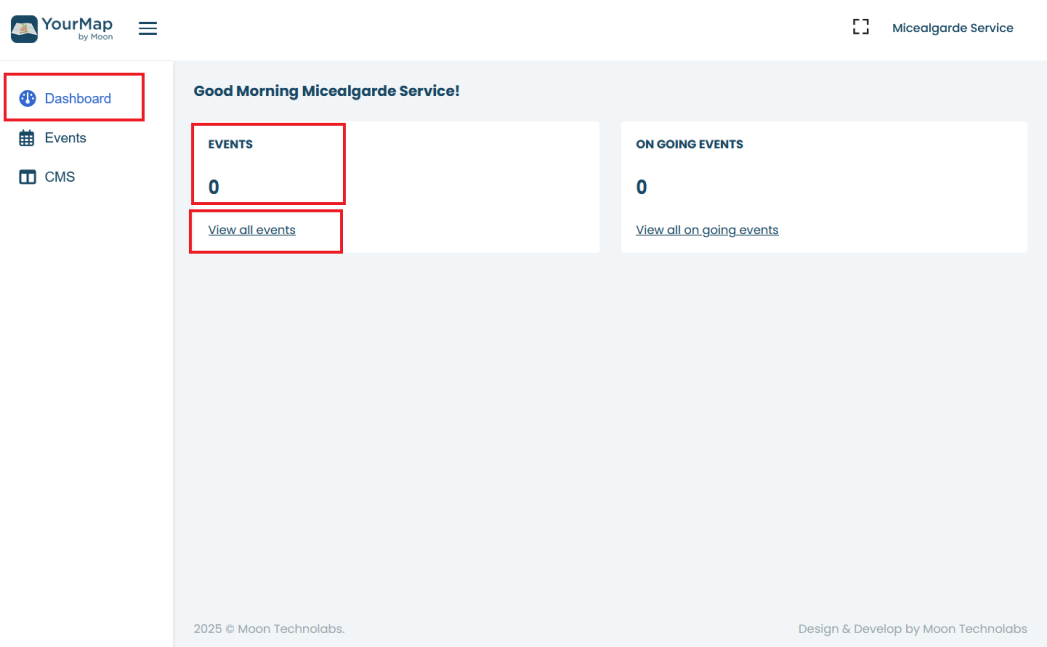
- Go to the Dashboard.
- Under the Events section, you will see the total number of upcoming events.
- Click on “View all events” to see the complete list.


To view upcoming events, follow the steps below:
Was this article helpful?
0 out of 0 found this helpful
Have more questions? Submit a request