You can generate an automated Trainee ticket in Moon HRM easily by following the steps below.
- Open the Moon HRM application on your device or tap on this link.
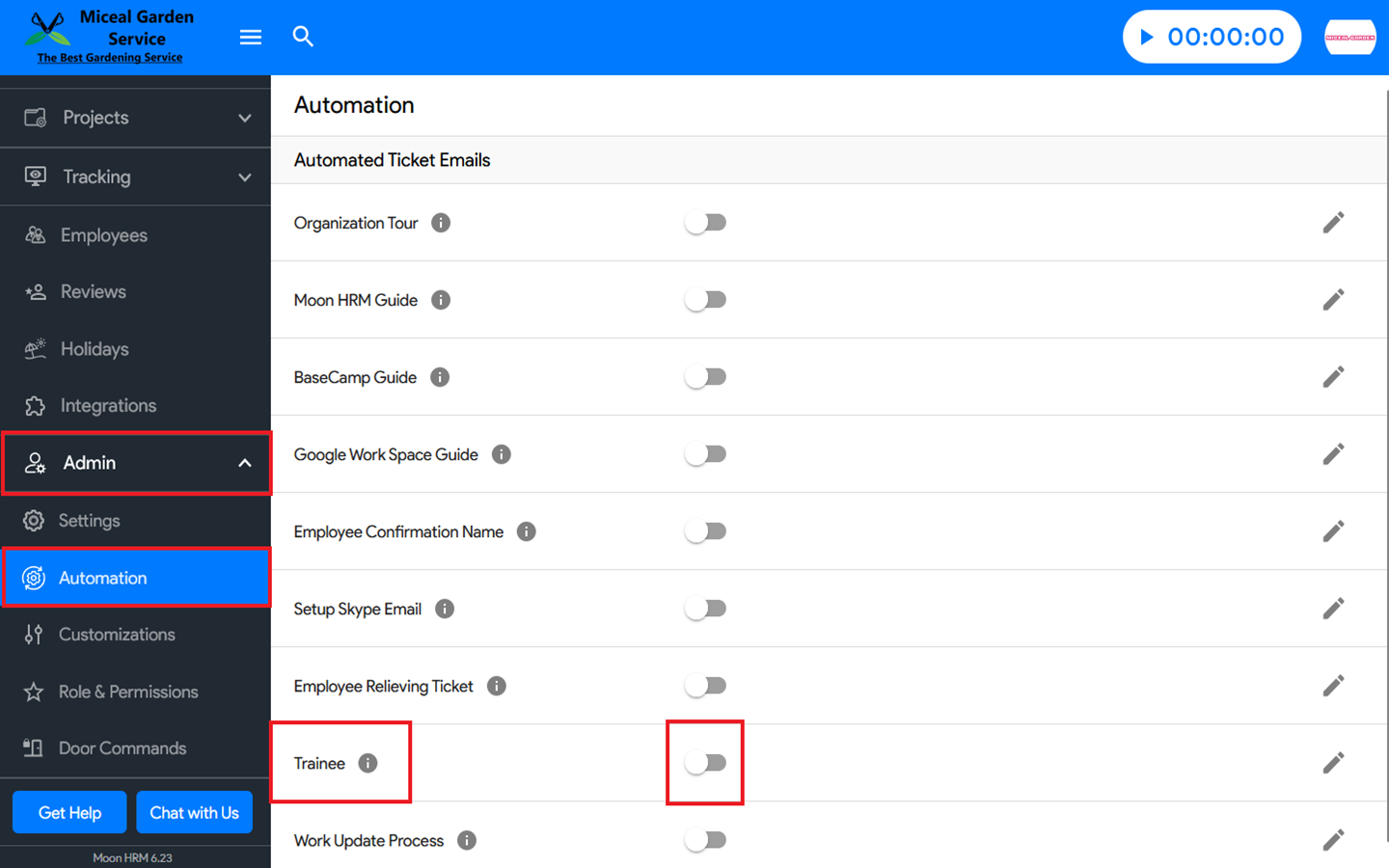
- From the main menu, navigate to Admin ➜ Automation.
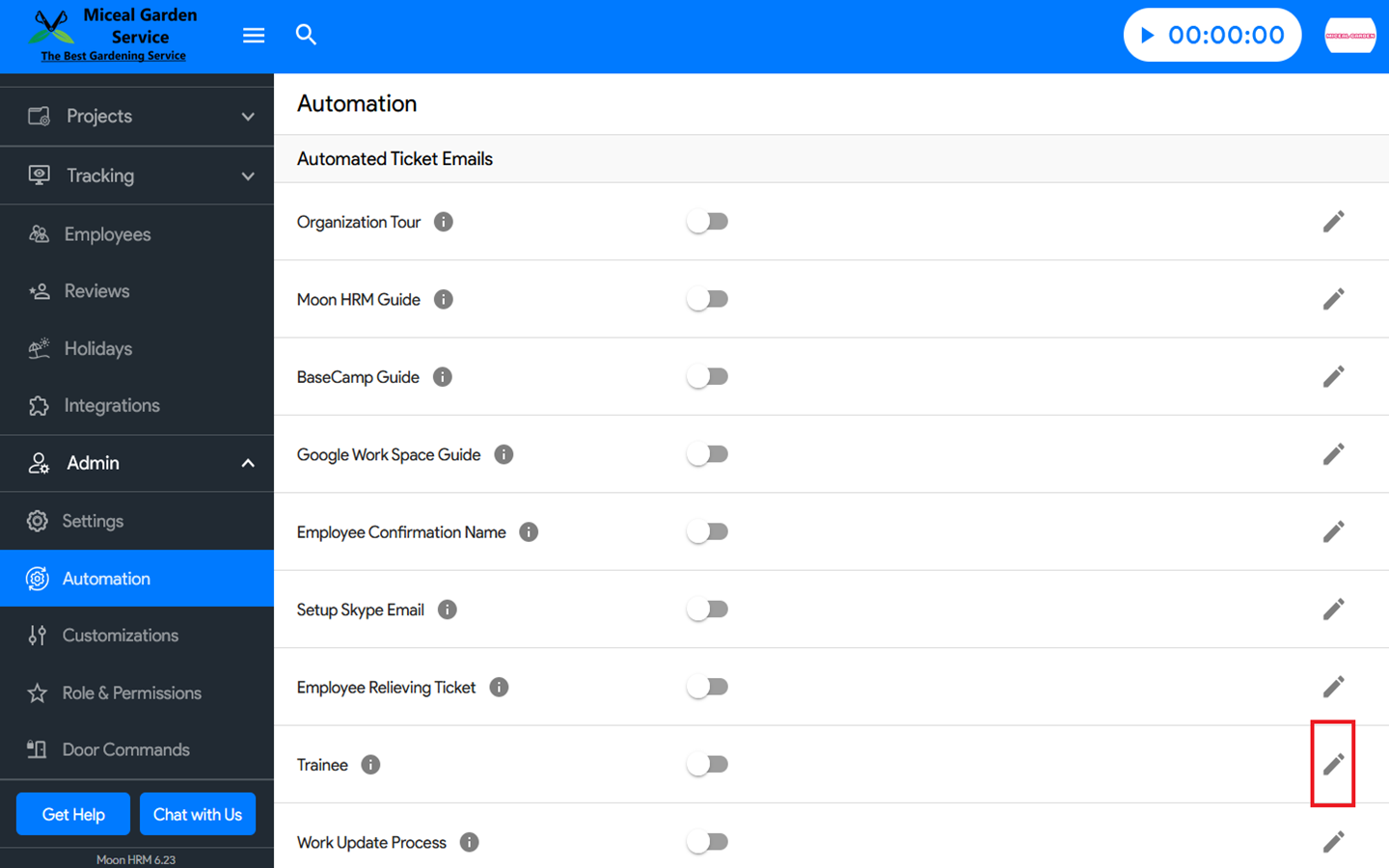
- In the Trainee, you can enable the feature by turning on the toggle button or disable it by switching the same toggle off.
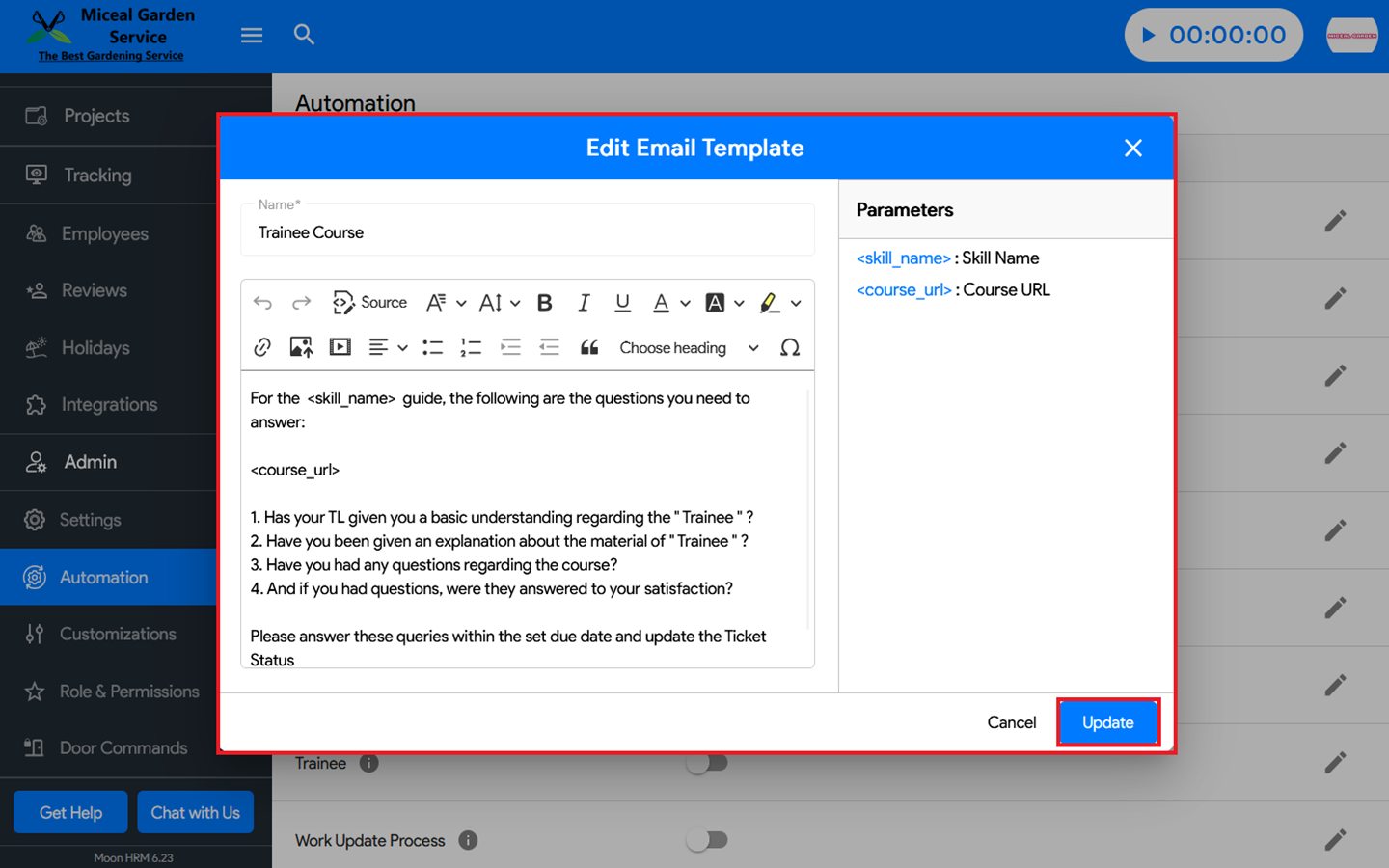
Note: Only The Manager and Additional Manager will receive the trainee ticket. You can also edit the email template by clicking Edit, making the necessary changes, and then selecting Update to save them.