Here are the steps to check the tickets created by me.
- Open the Moon HRM application on your device or tap on this link.
- Go to Tickets.
- Click on Type Filter and select Created by Me.
- The list will now show only the tickets you have created.
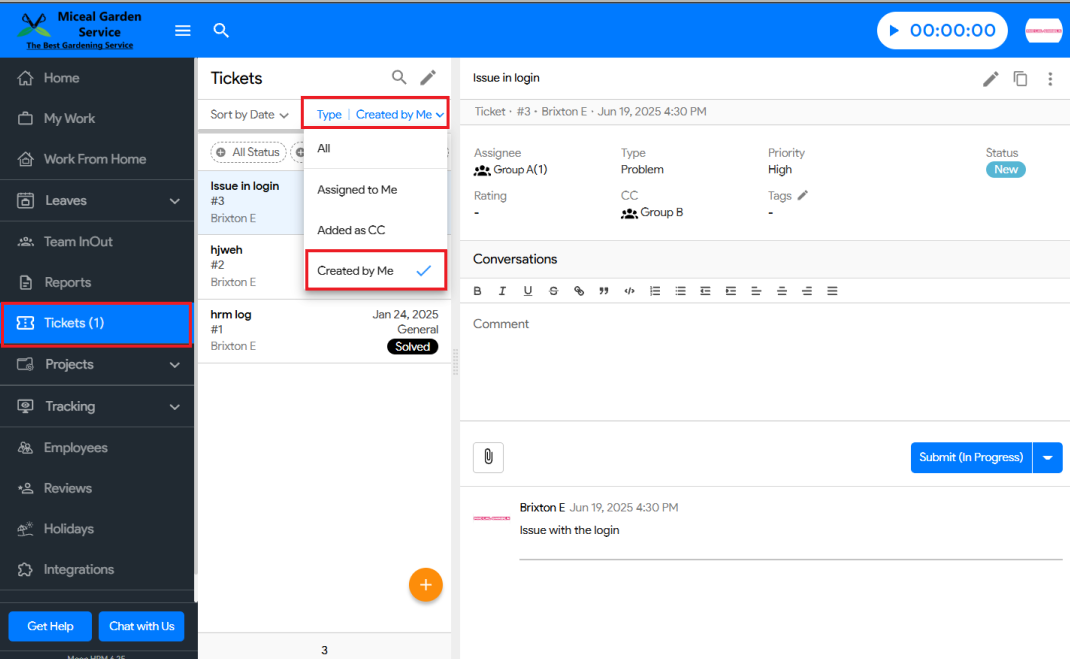


Here are the steps to check the tickets created by me.
Was this article helpful?
0 out of 0 found this helpful
Have more questions? Submit a request