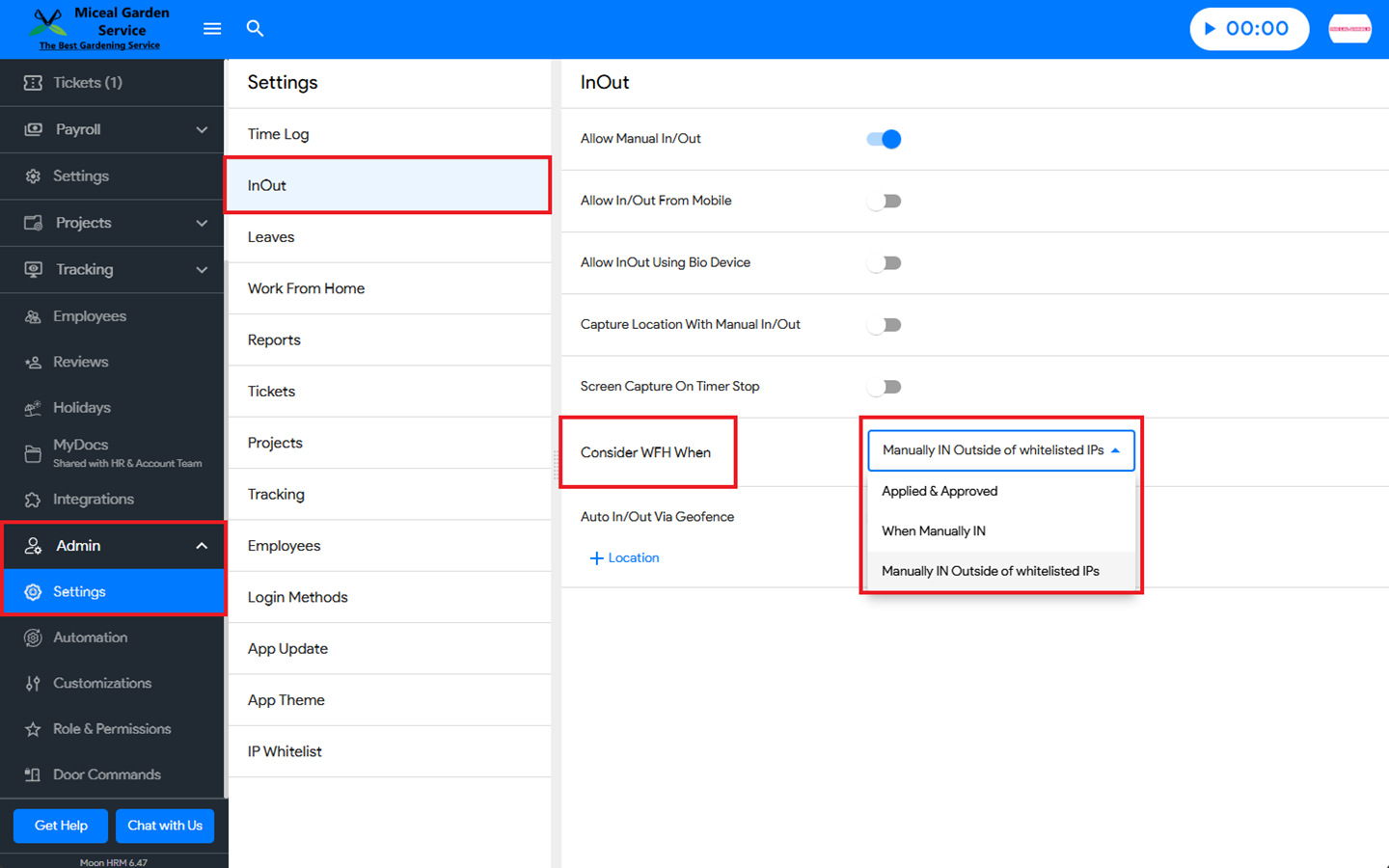
You can easily change the “Consider WFH When” options in Moon HRM by following the steps below.
Open the Moon HRM application on your device or tap on this link.
From the main menu, navigate to Admin ➜ Settings ➜ InOut.
Under Consider WFH When, select the option that best suits your preference.