

To set leave priorities within a leave plan, first choose the leave types you want to include.
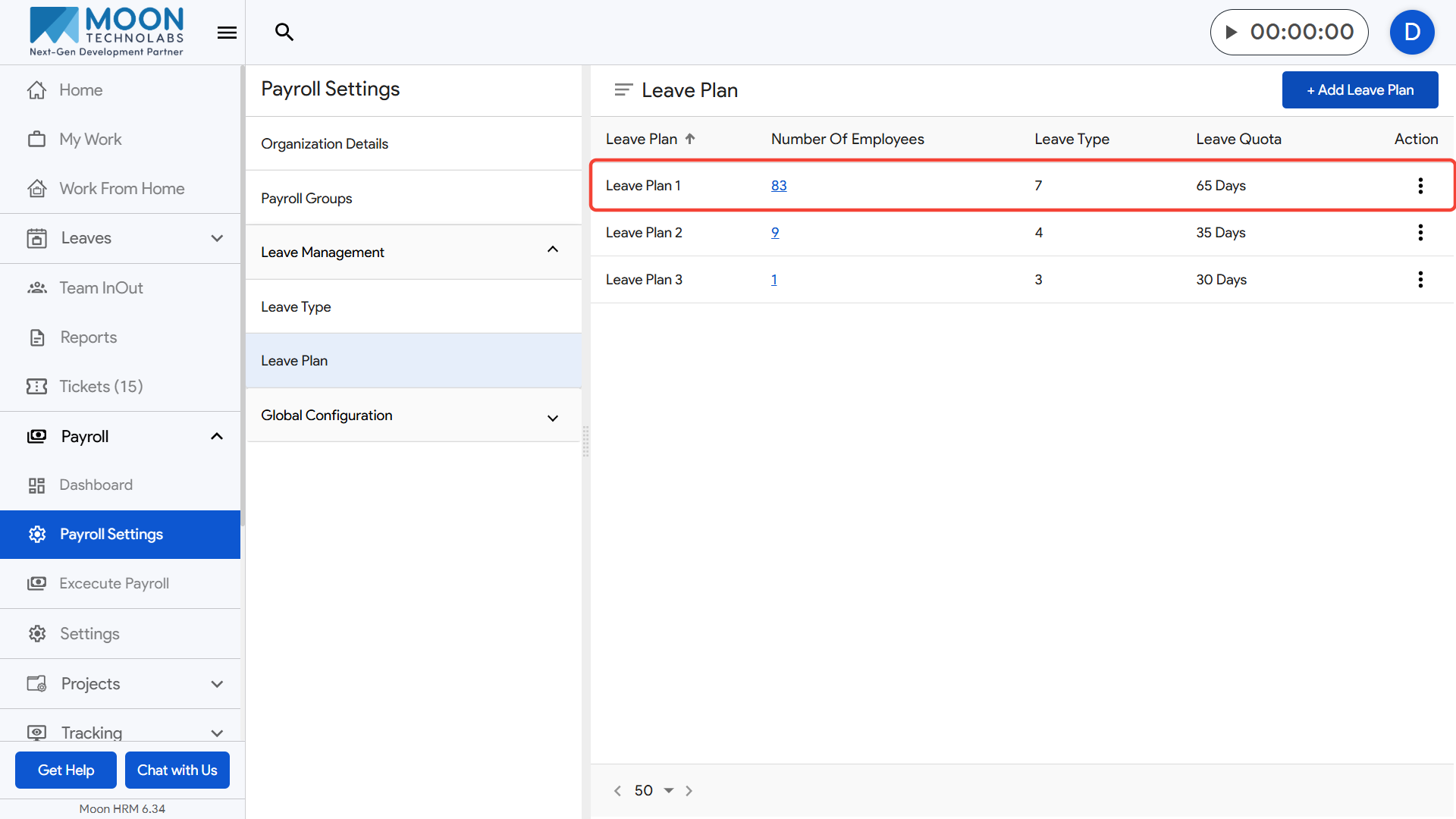
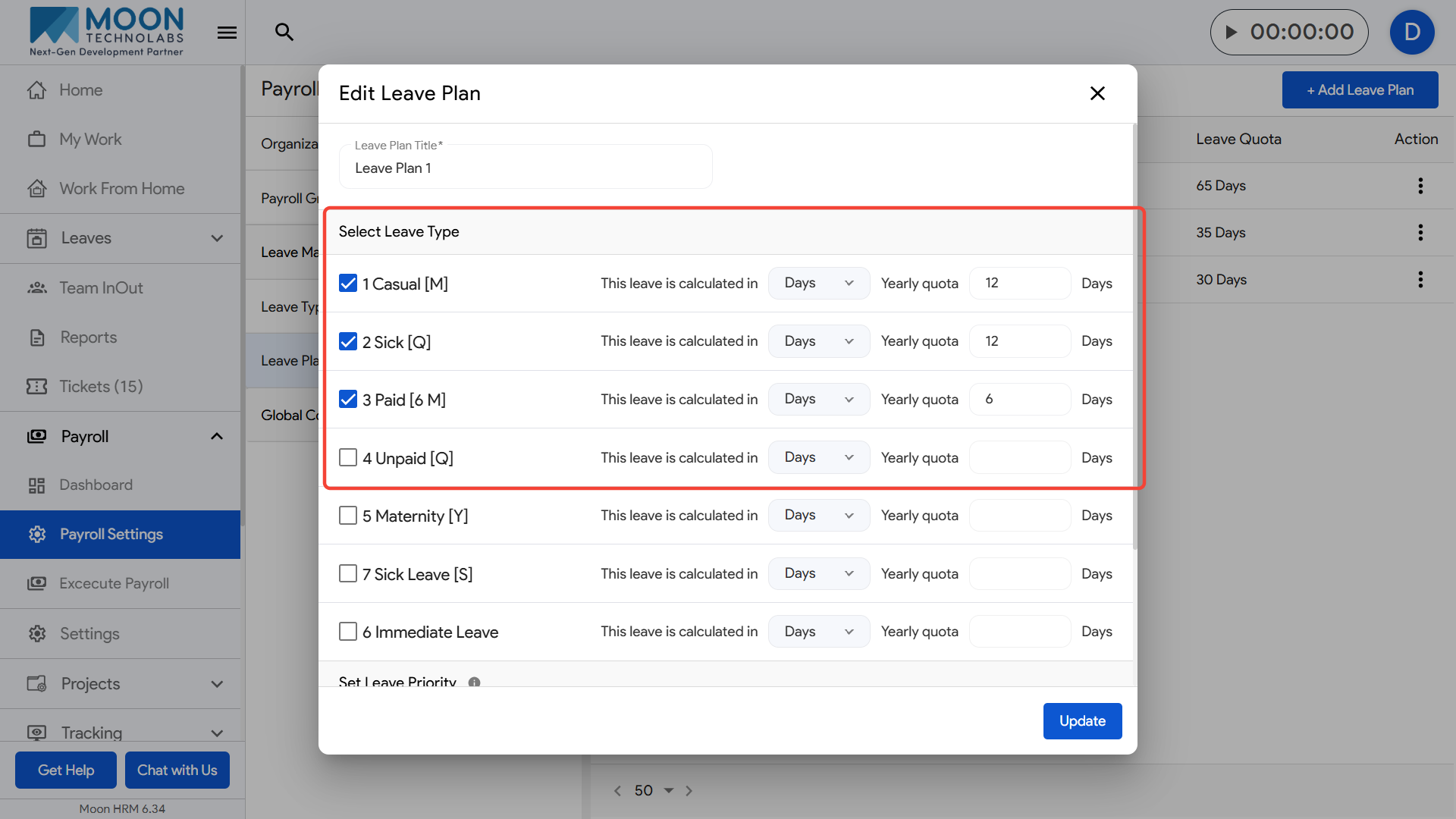
After selecting them, scroll to the Set Leave Priority section where the chosen leave types are listed.
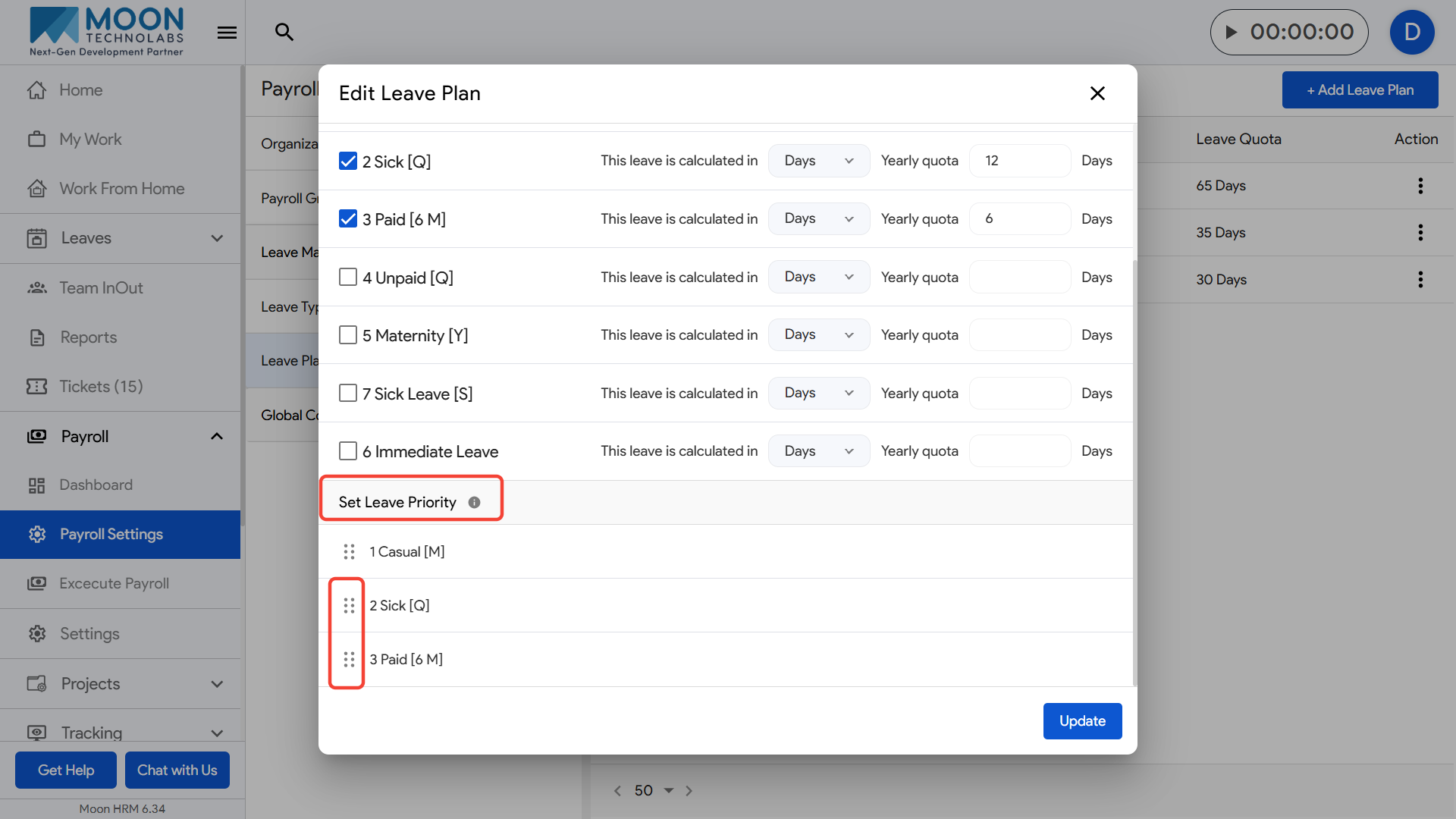
Leave priority determines the fallback order when an employee applies for a leave type that has no remaining balance.
If the applied leave type has zero balance, the system will automatically deduct the leave from the **next available leave type** based on the priority you have set in the Leave Plan.
For example
- If the priority order is:
- 1) Casual Leave
- 2) Sick Leave
- 3) Paid Leave
Case: An employee applies for Sick Leave
- But the employee has:
- Sick Leave balance = 0
- Casual Leave balance = 2
- Paid Leave balance = 5
Since Sick Leave has no balance, the system will deduct the required leave from Casual Leave, because it is the next leave type in the priority list.
If Casual Leave also had zero balance, then the deduction would move to Paid Leave, following the priority order you configured.
If no leave balance is there for any of these types, then unpaid leave will be counted