

To manage your organization details, click on Payroll Settings from the sidebar and open the Organization Details section.
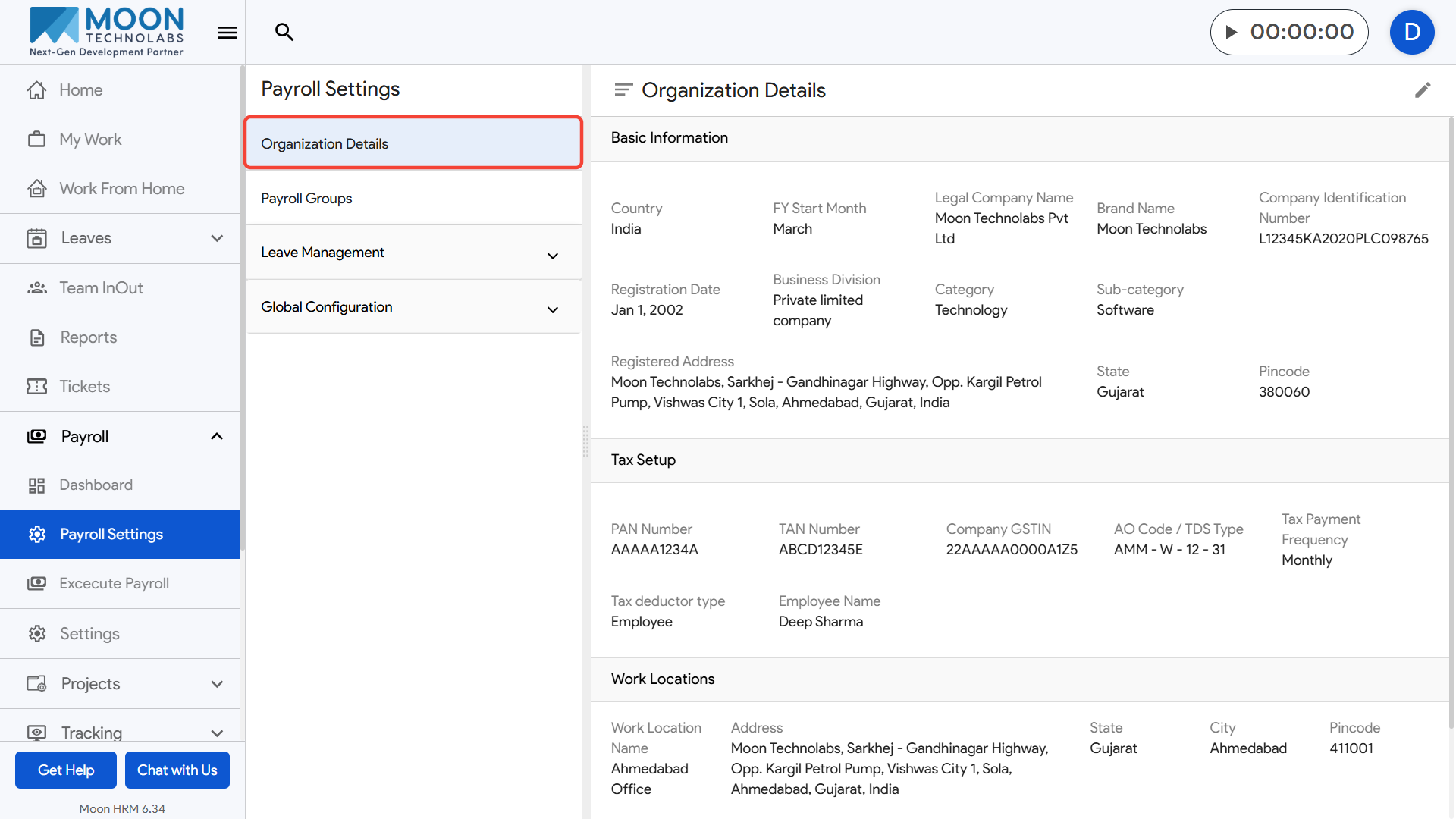
To make any changes, click the edit icon at the top-right corner, update the required fields.
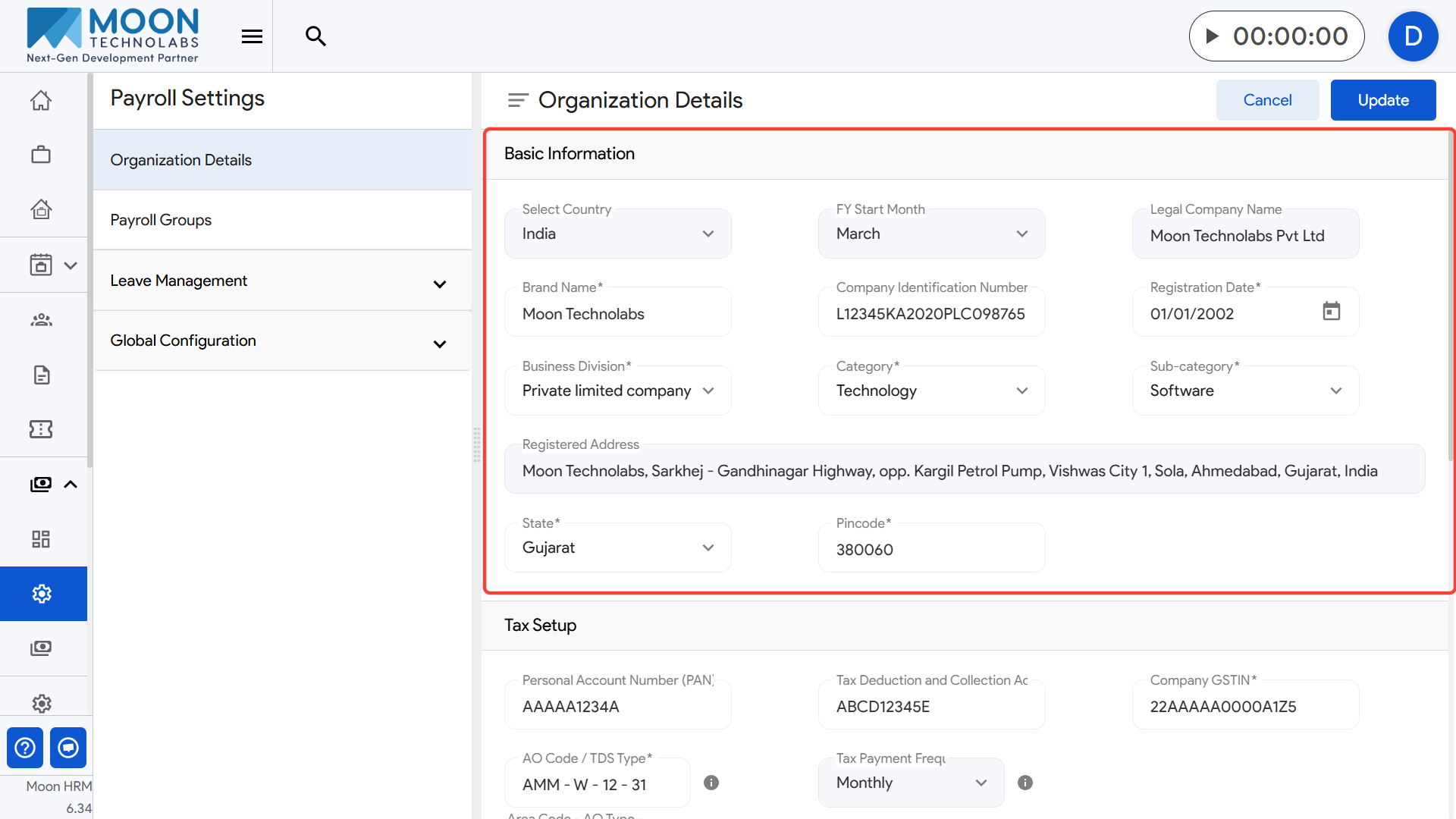
Here, you can view and update basic company information, including Legal Company Name, Brand Name, Company Identification Number, Registration Date, Business Division, Category, Sub-category, Registered Address, State, and Pincode.
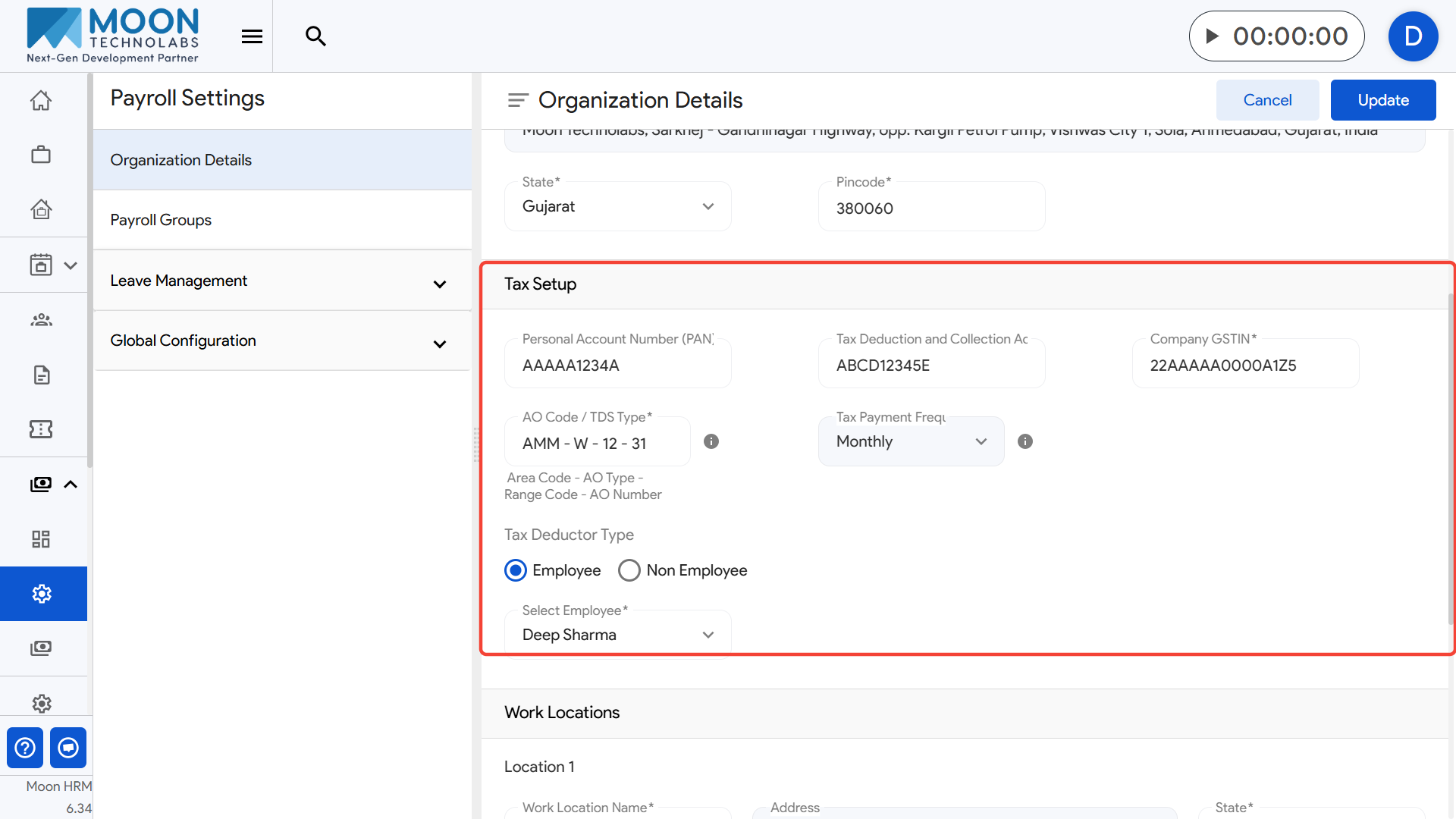
You can also review and modify your statutory details, such as PAN Number, TAN Number, Company GSTIN, AO Code / TDS Type, Tax Deductor Type, the Responsible Employee Name, and the Tax Payment Frequency.
Scroll further to manage your work locations, where you can update each location’s Work Location Name, Address, City, State, and Pincode.
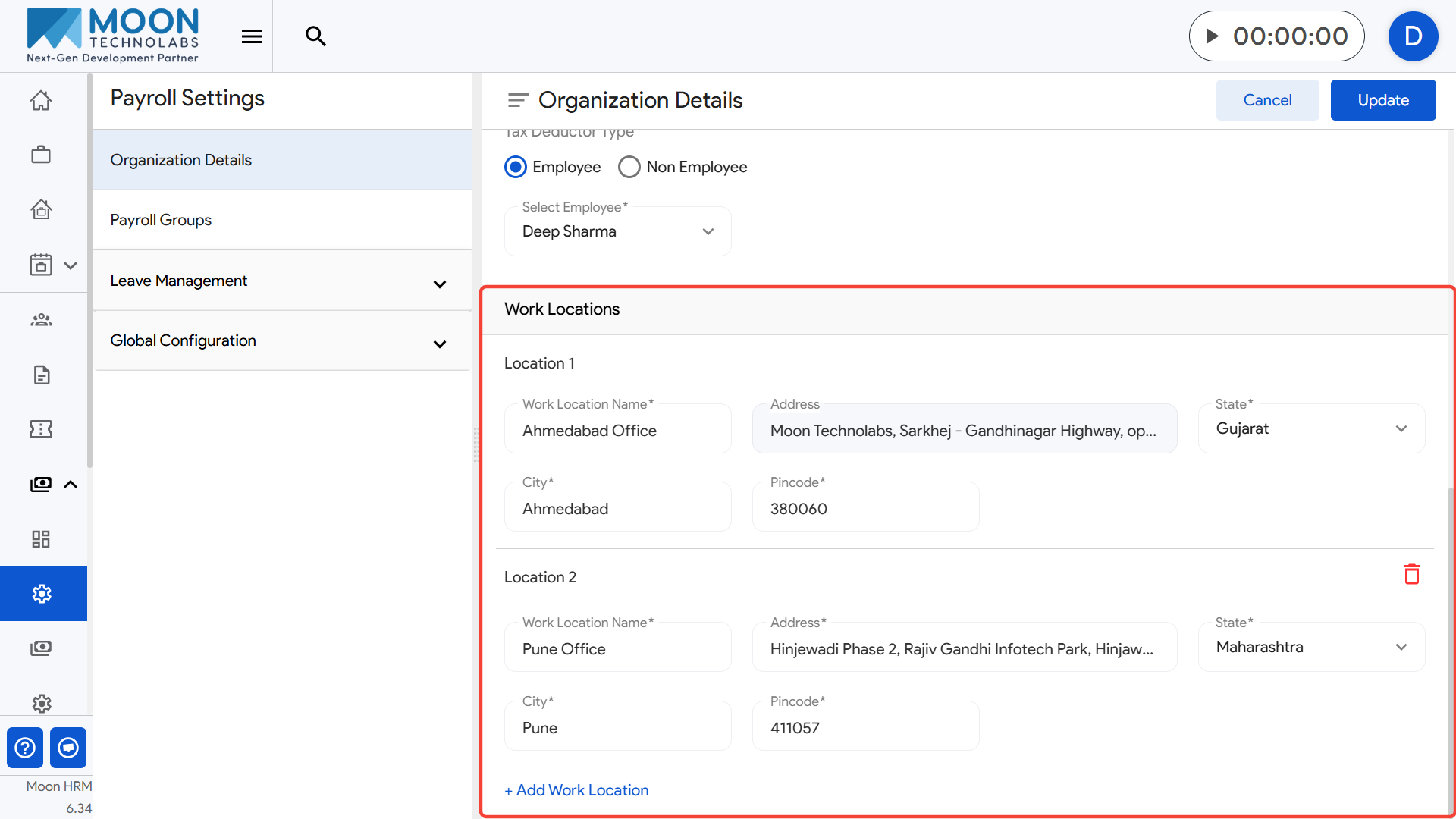
Save your changes to keep your organization profile accurate and up to date.