You can easily create a leave plan in Moon HRM by following the steps below.
- Open the Moon HRM application on your device or tap on this link.
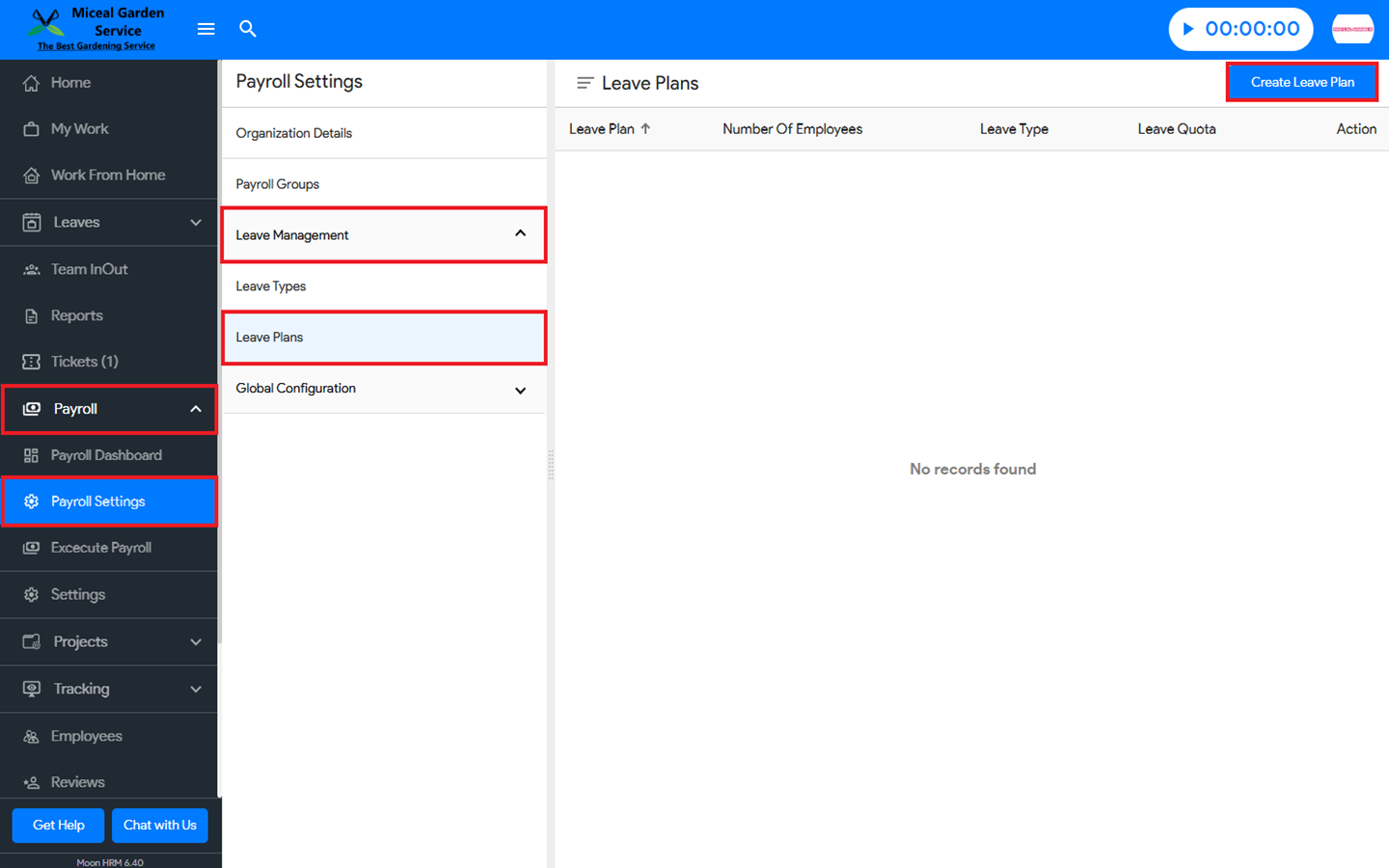
- From the main menu, navigate to Payroll ➜ Payroll Settings.
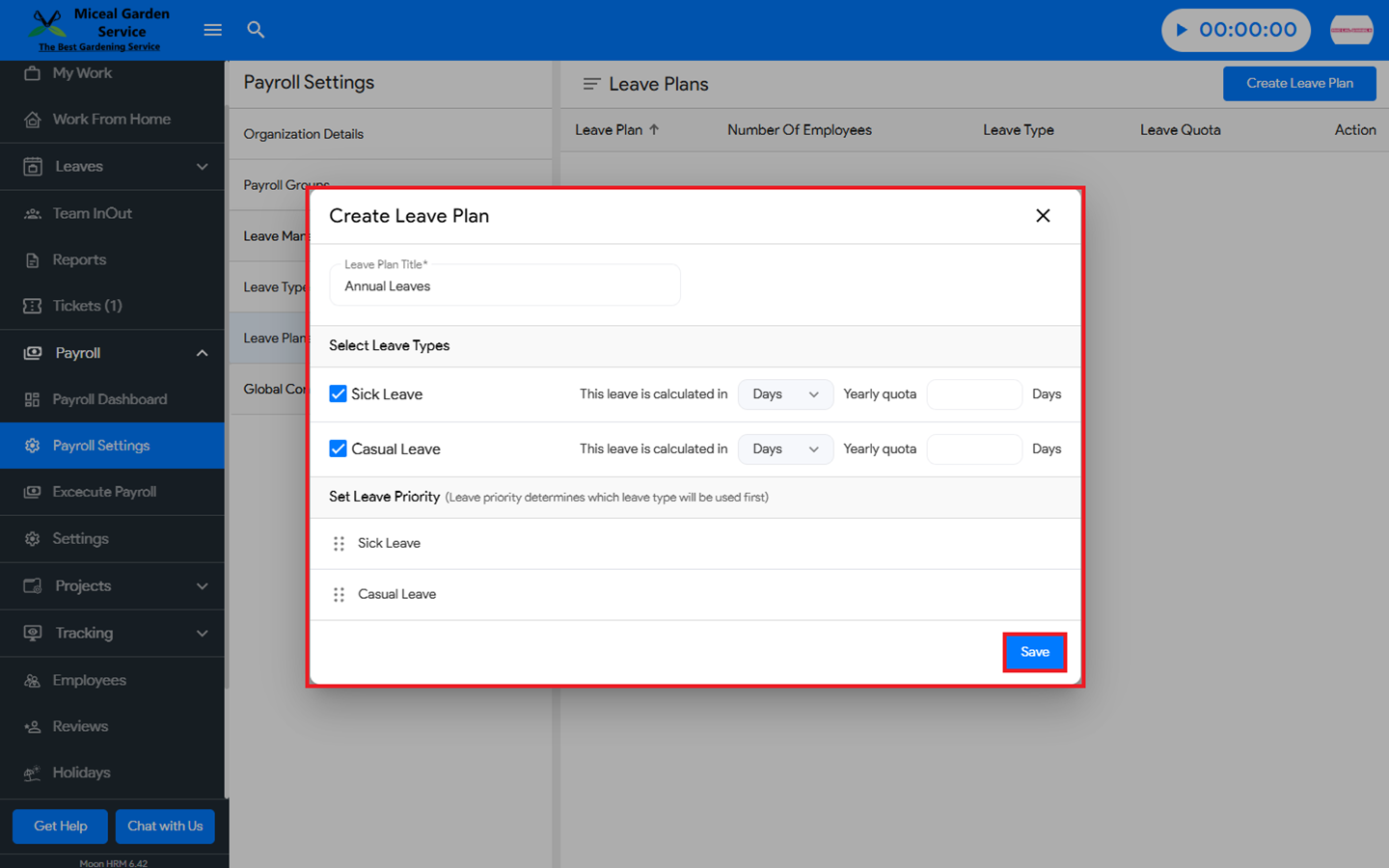
- In the Leave Management ➜ Leave Plans section, click on the Create Leave Plan button and fill in the necessary information.
- Finally, click Save to apply the changes.
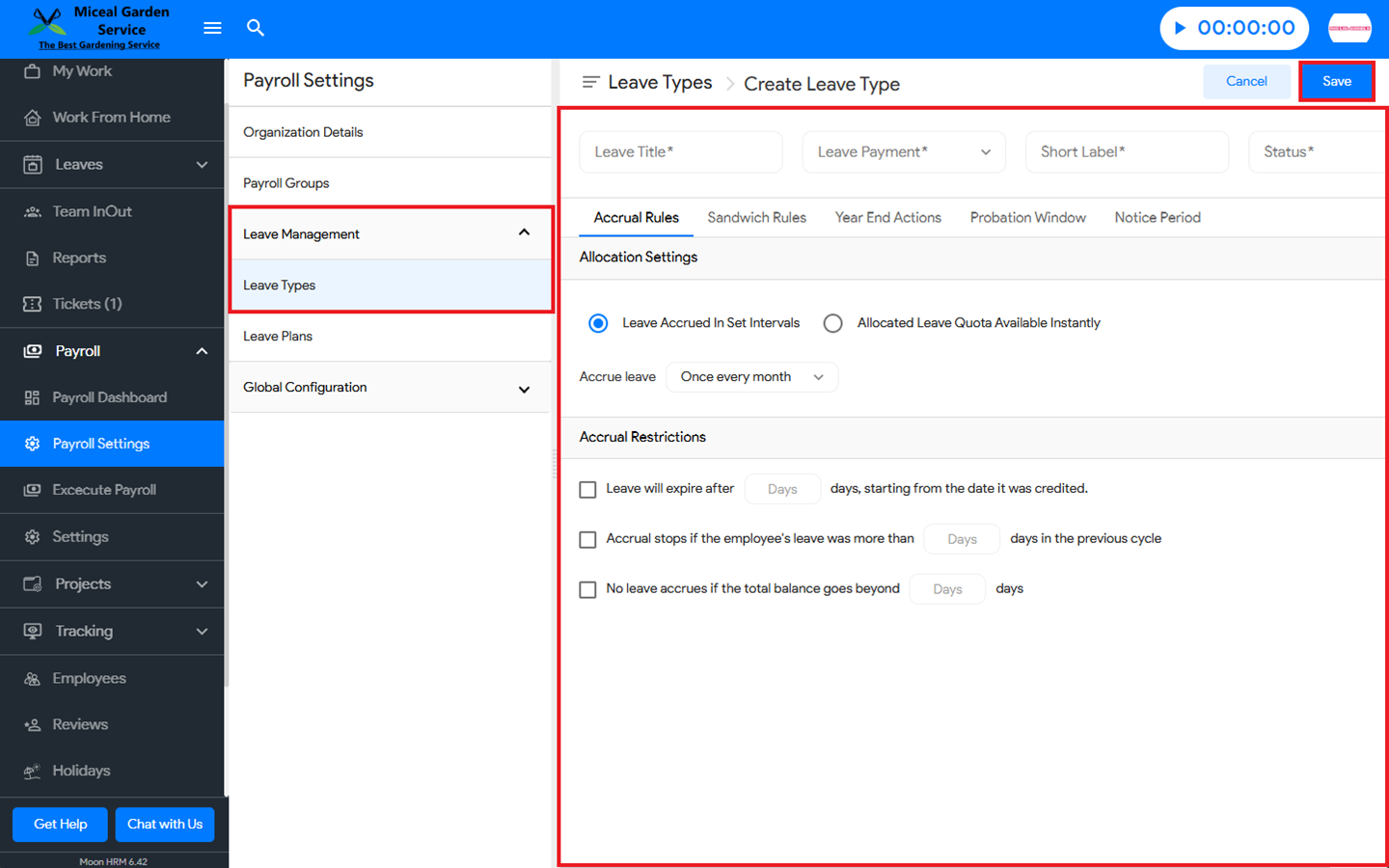
Note: It is mandatory to create a leave type before you make a leave plan. To create a leave type, go to Leave Management ➜ Leave Types, click Create Leave Type, enter the required details, and then click Save to apply the changes.