

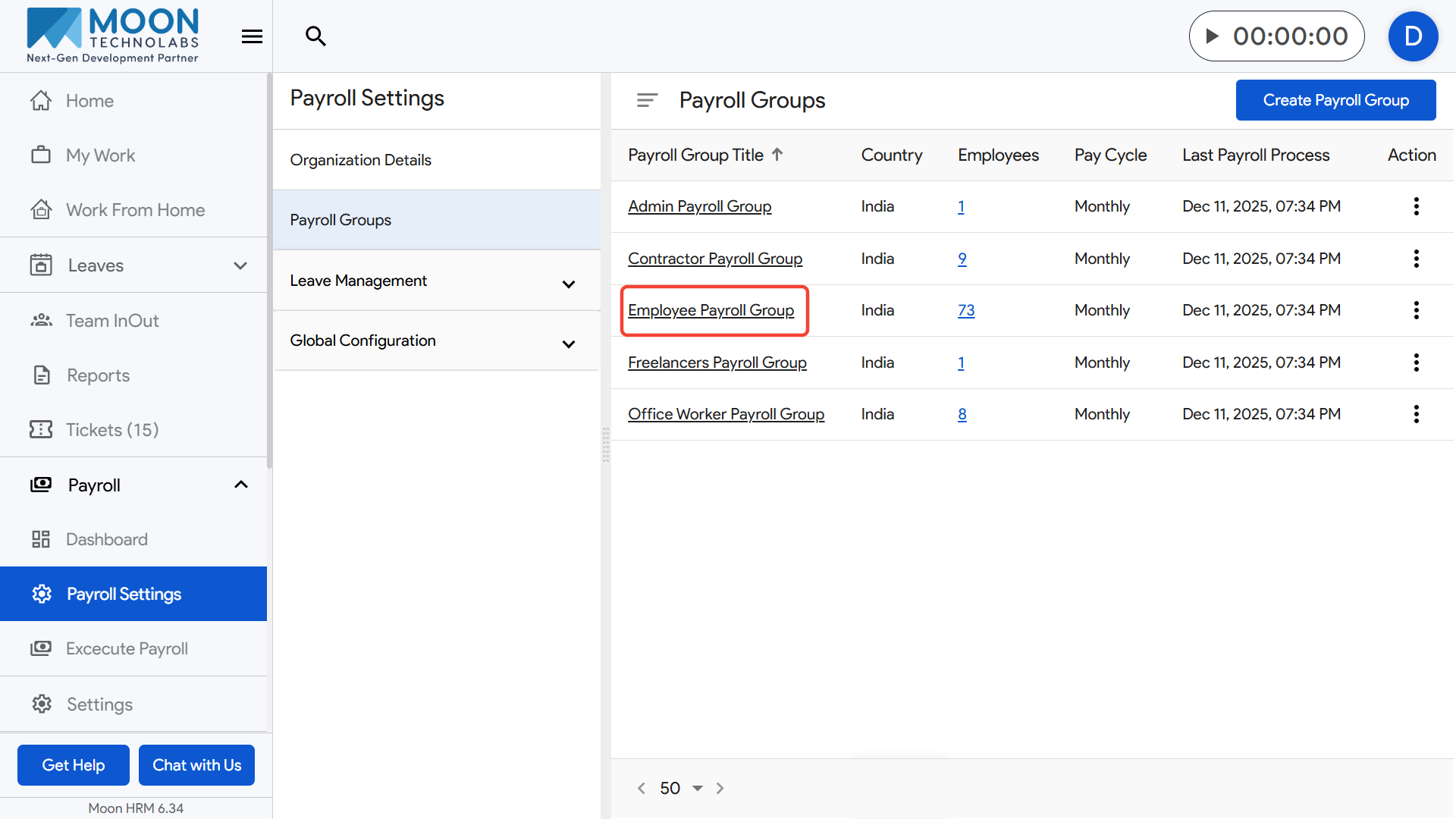
To manage the salary structure for a specific payroll group, click on Payroll Settings from the sidebar and open the Payroll Groups section.
Select the payroll group you want to configure and go to the Salary Structure tab.
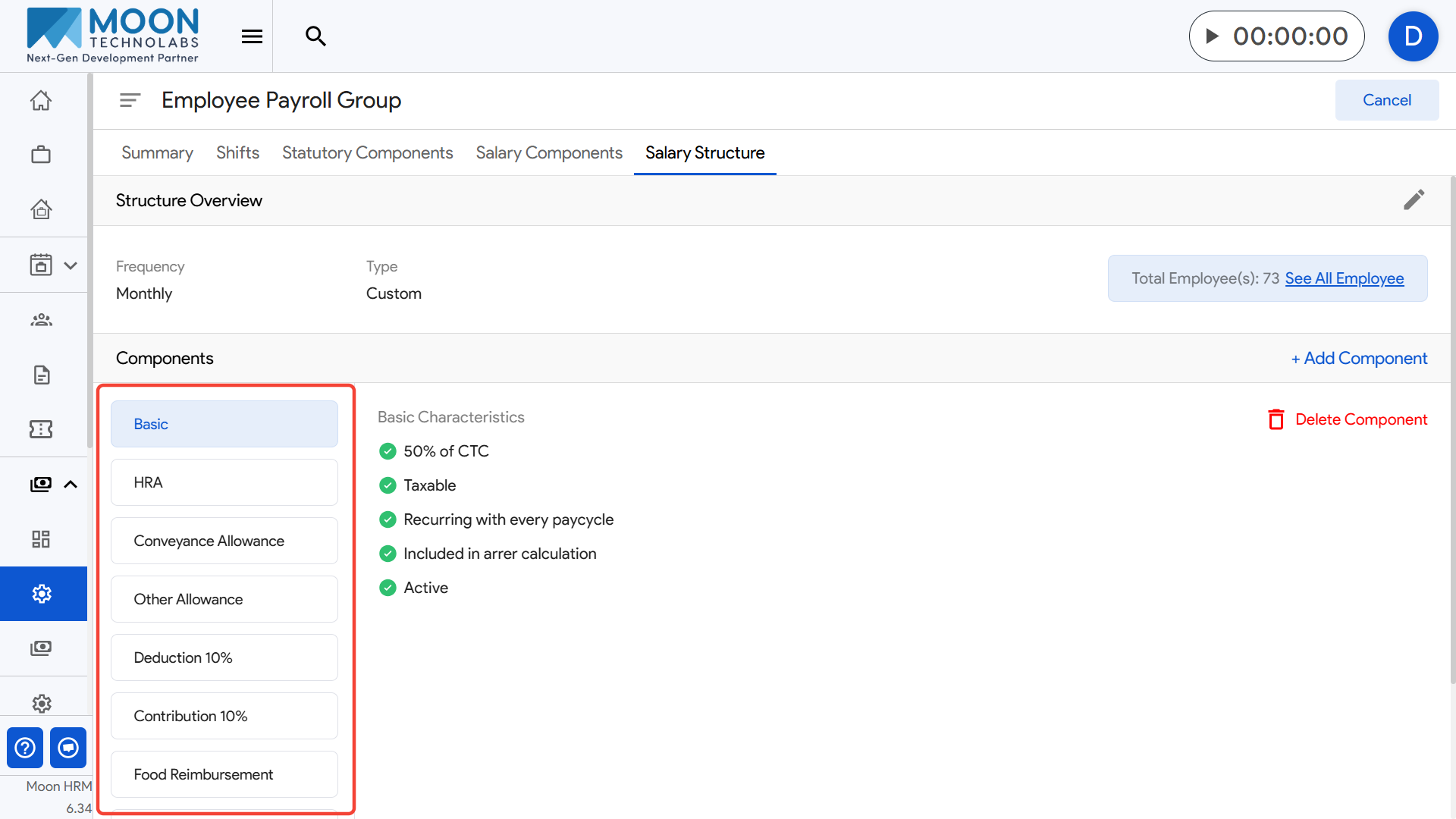
Here, you can view all components that form the salary breakup for employees under this payroll group.
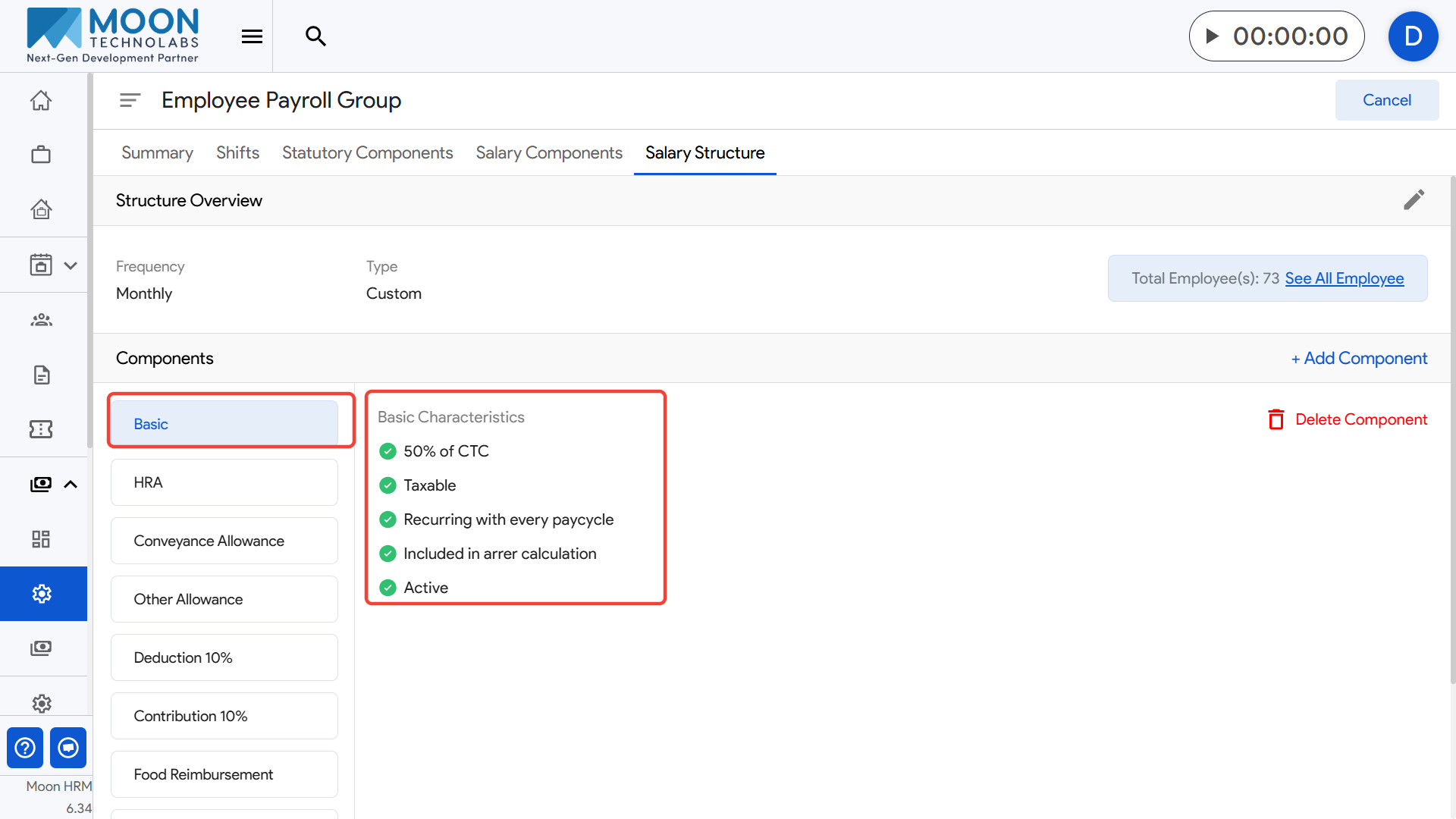
Click on any component to see its characteristics, such as whether it is taxable, recurring every pay cycle, included in arrear calculations, or active.
If you want to add a new component to the salary structure, click the Add Component option.
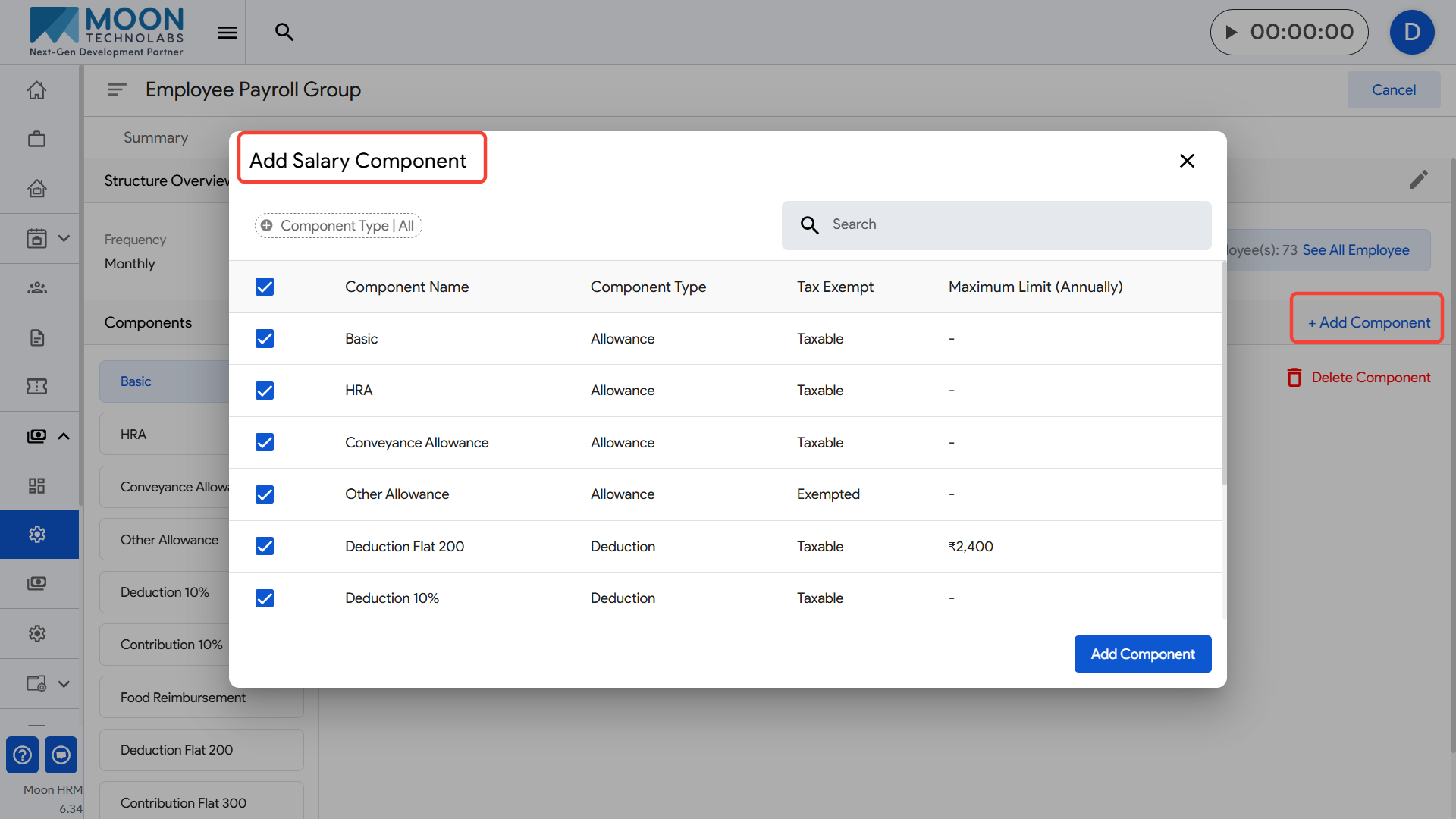
For example, if you add a “Conveyance Allowance” component, it will become part of every employee’s salary calculation within this payroll group.
If required, you can delete an existing component by selecting it and clicking Delete Component.
For example, if a company decides to discontinue a “Transport Allowance,” you can remove it from the salary structure so it no longer applies to employees in that payroll group.
Update the structure as needed to ensure accurate salary calculations for all employees assigned to the group.