You can easily assign payroll to existing employees using bulk upload in Moon HRM by following the steps below.
- Open the Moon HRM application on your device or tap on this link.
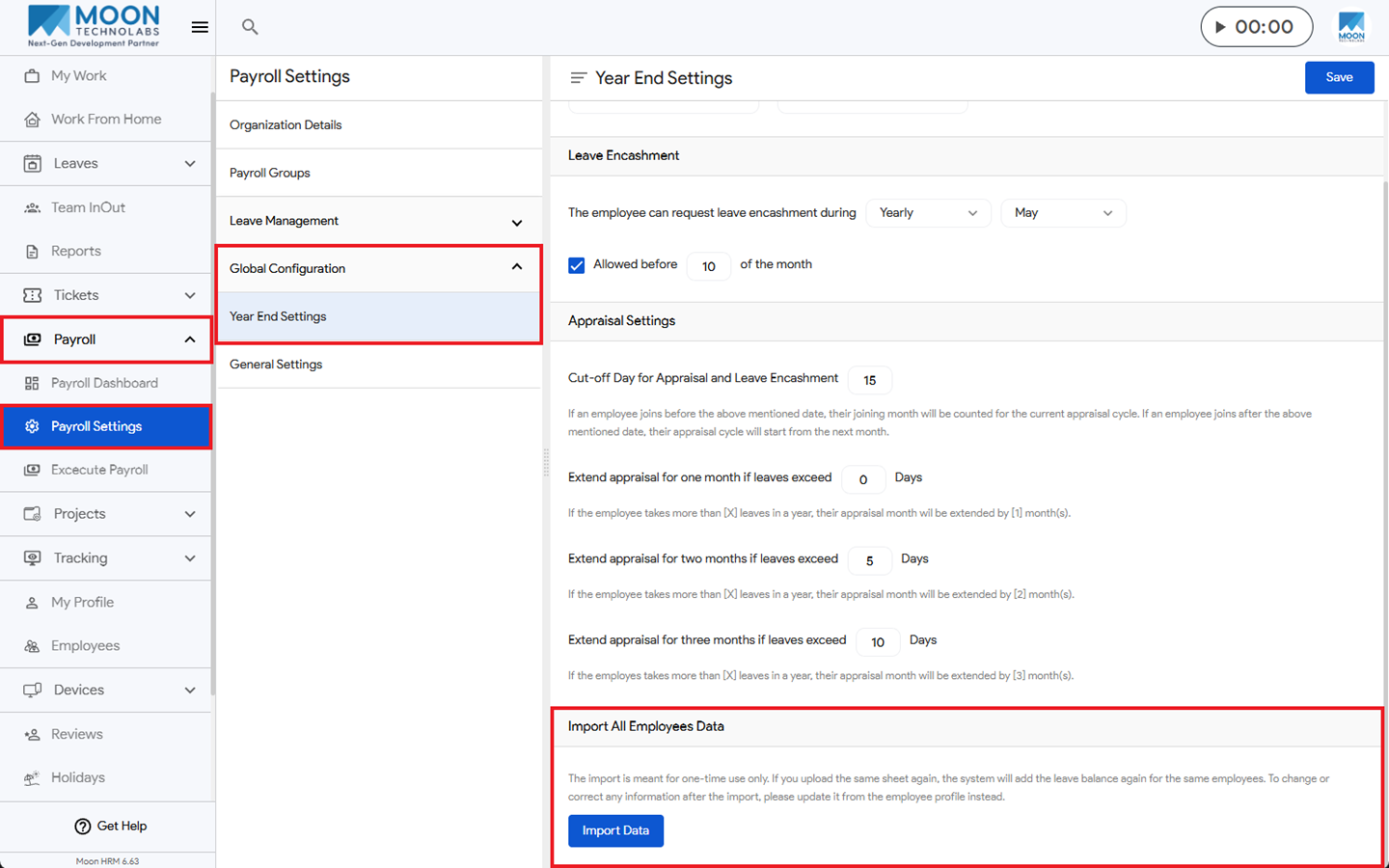
- Navigate to Payroll ➜ Payroll Settings from the main menu.
- Under Global Configuration ➜ Year End Settings, under Import All Employee Data, click on Import Data
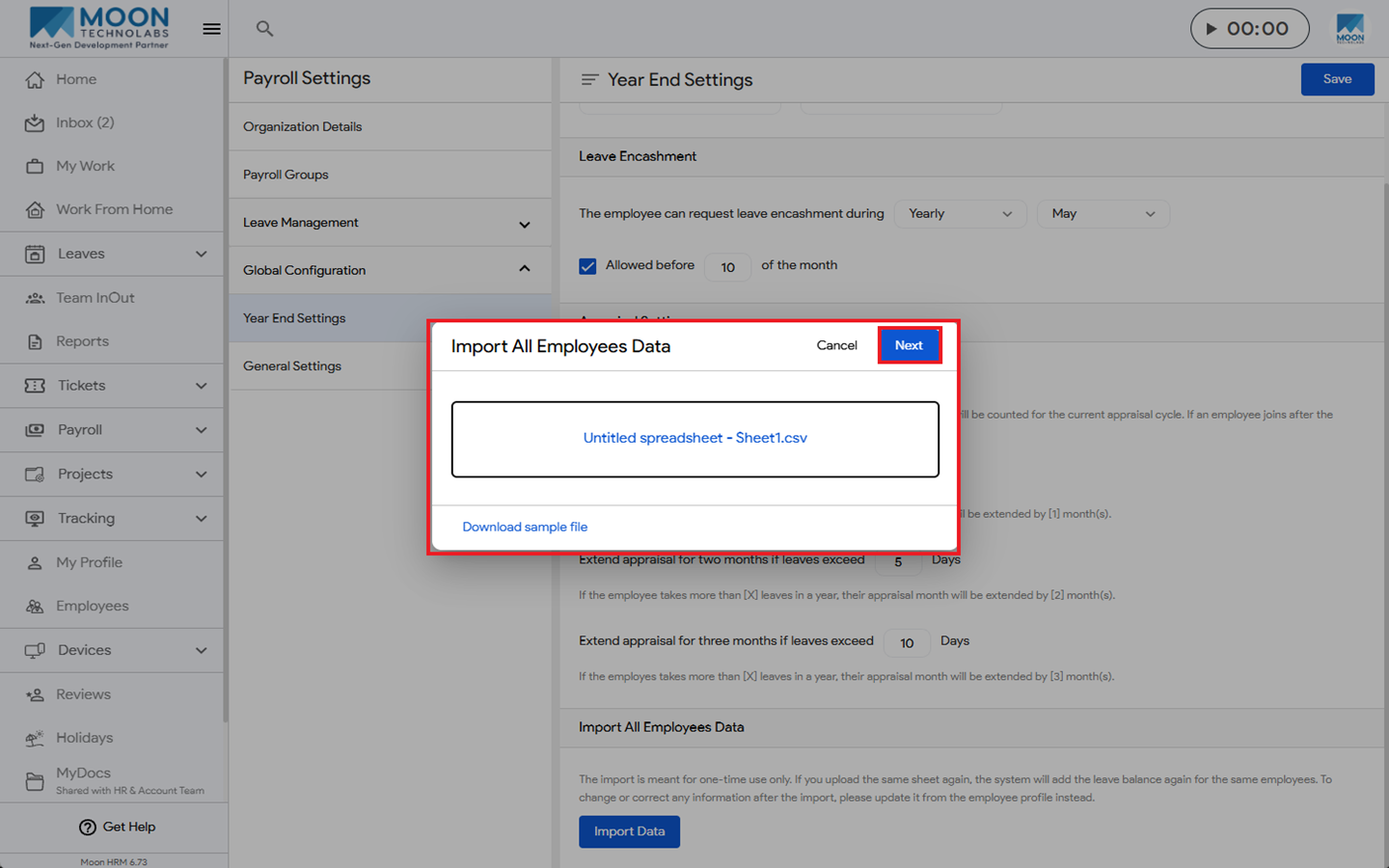
- You can upload the CSV File and click on Next.
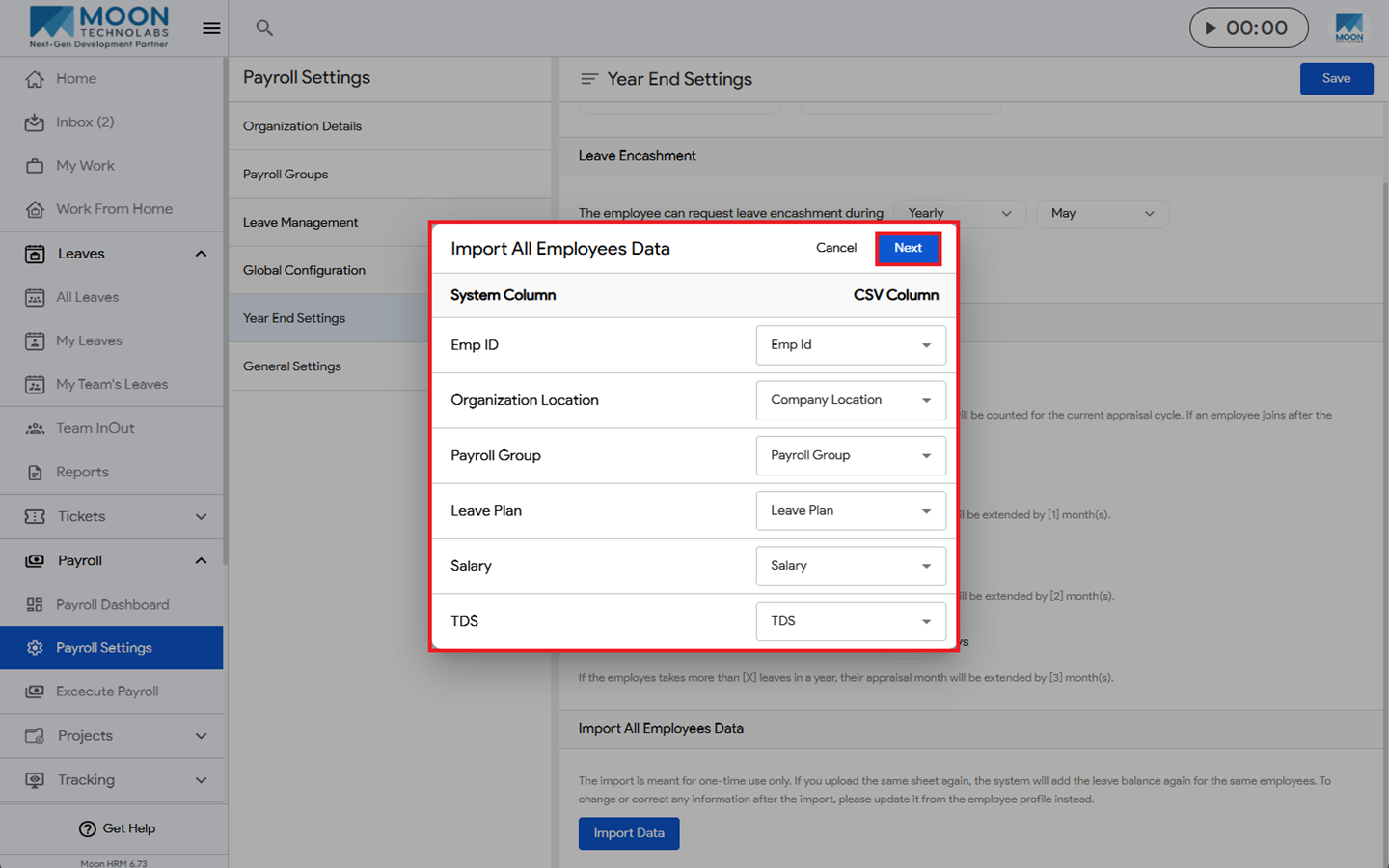
- Under Import All Employee Data, ensure the required fields are selected, then click Next.
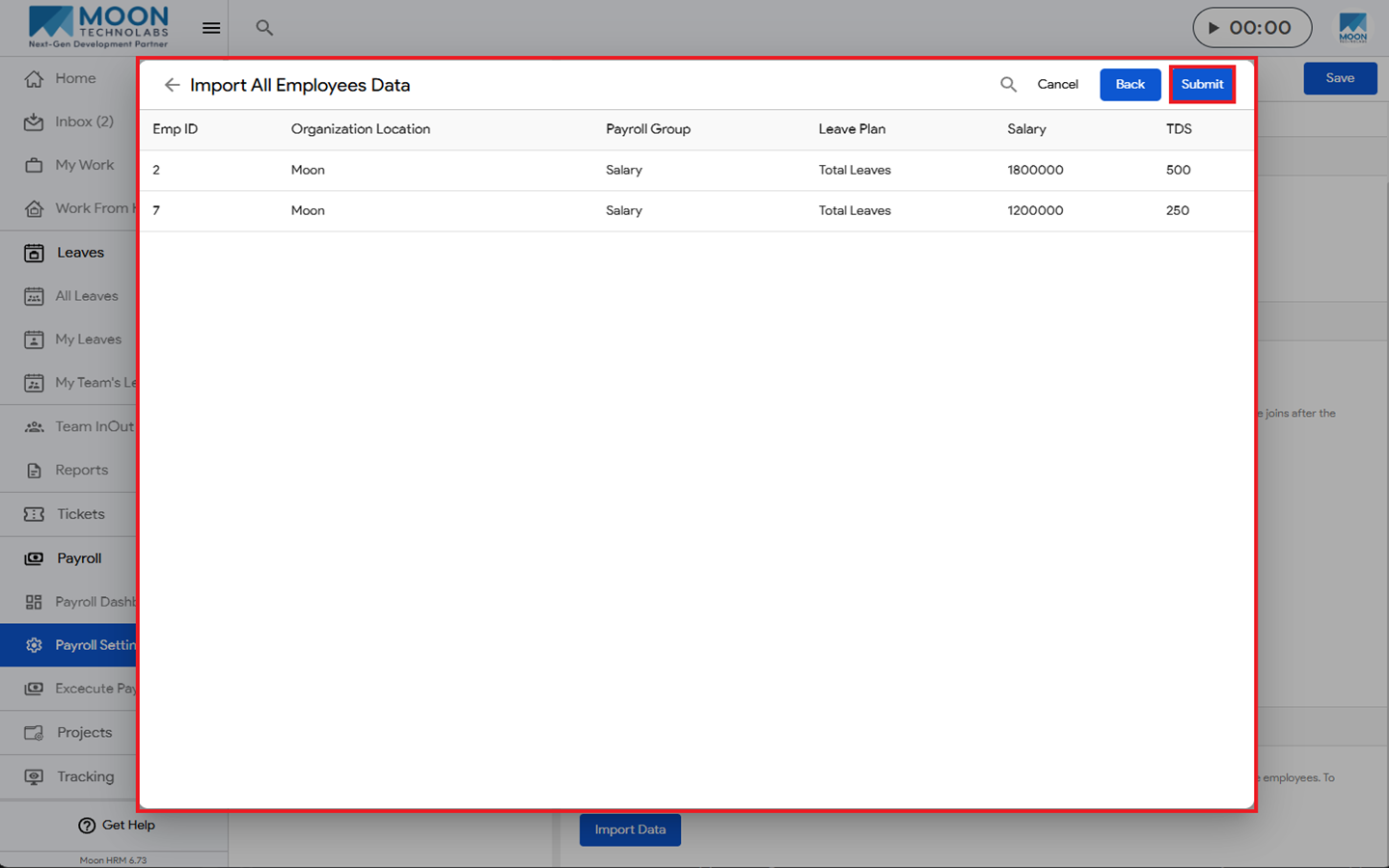
- Review the employee details displayed on the next screen, and click Submit to import the employee data.