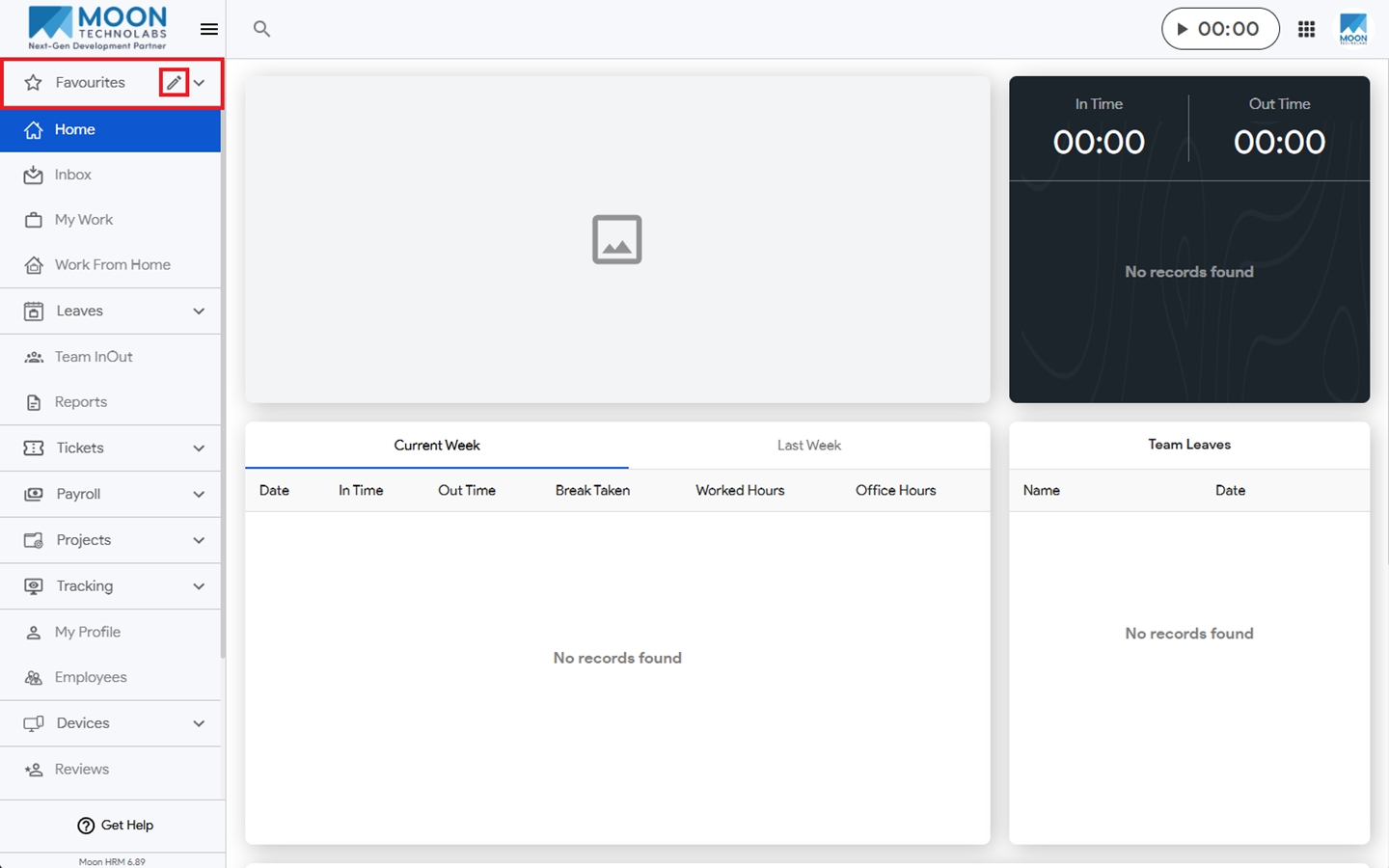
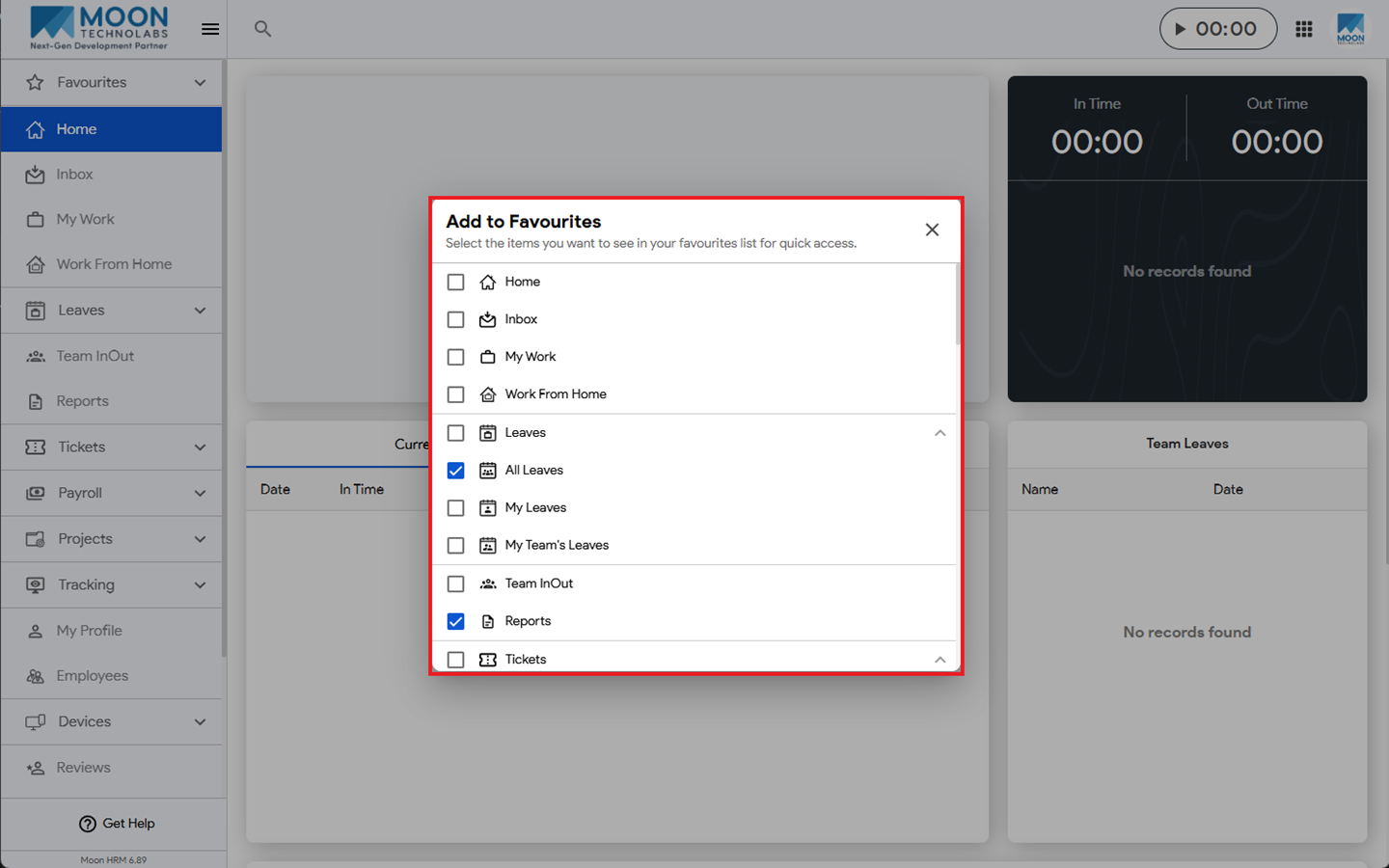
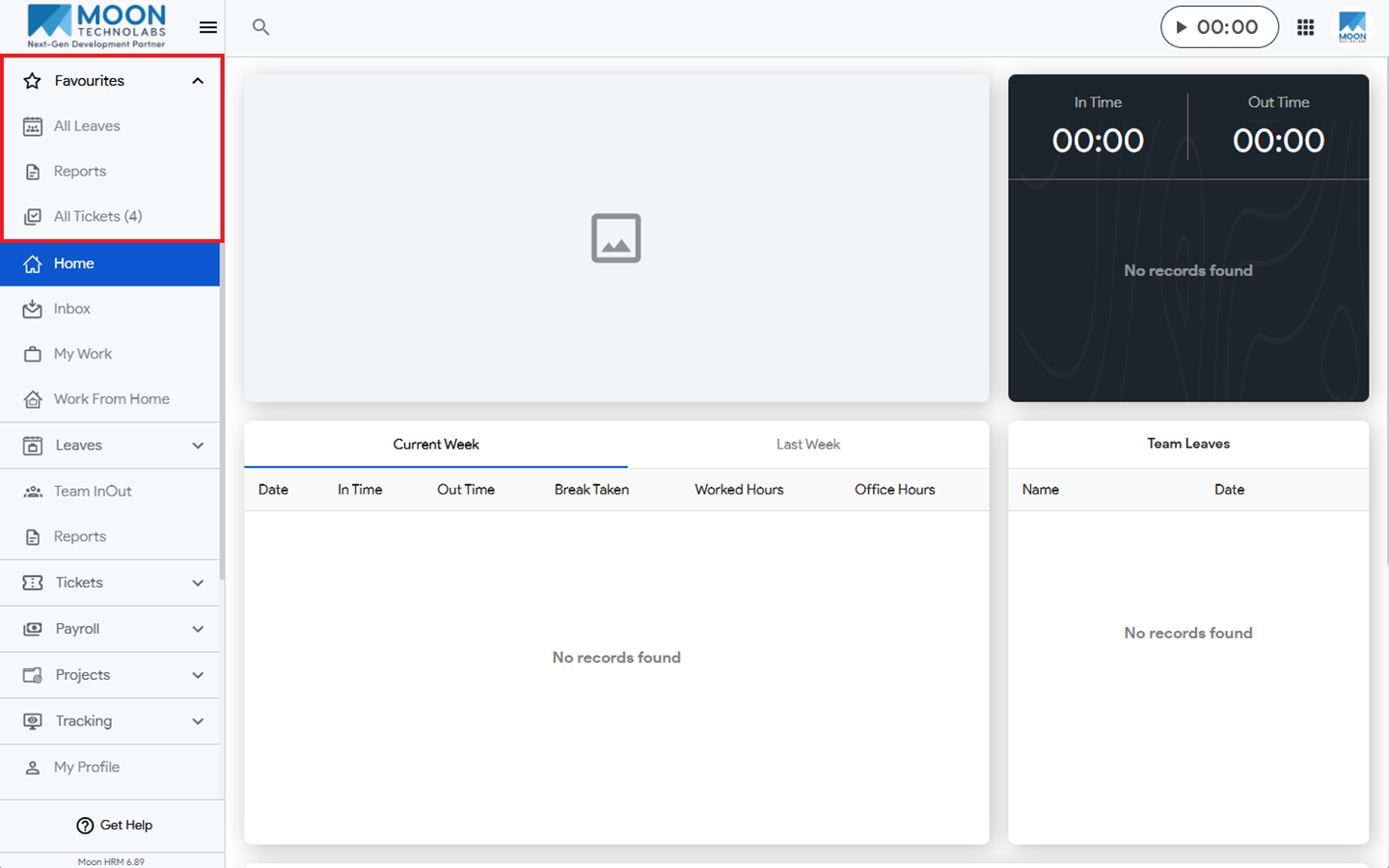
You can easily add the side menu items to the favorites list in Moon HRM by following the steps below.
- Open the Moon HRM application on your device or tap on this link.
- From the main menu, navigate to Favorites
- Click the Edit icon.
- Select the items you want to add, and they will appear under Favorites.