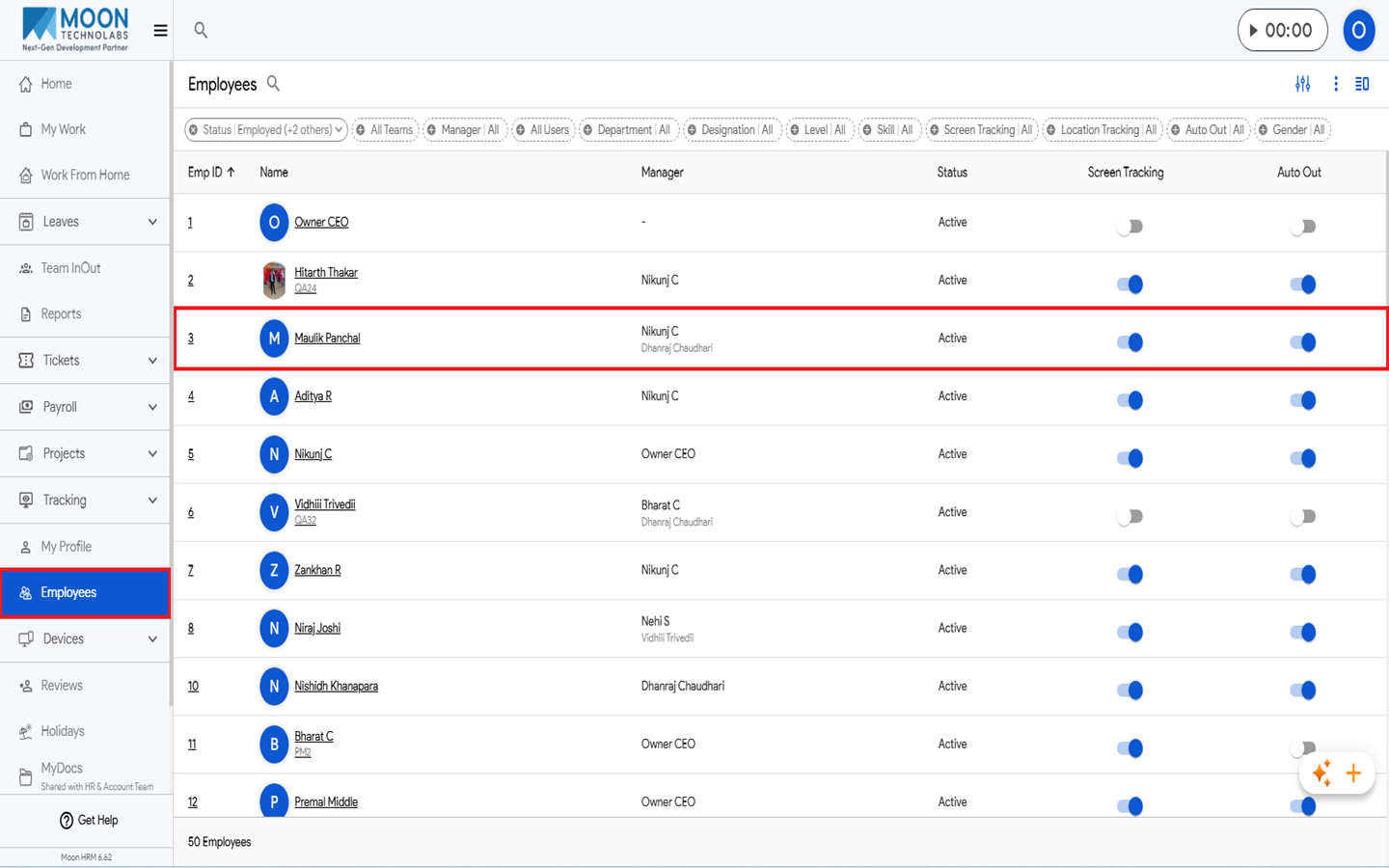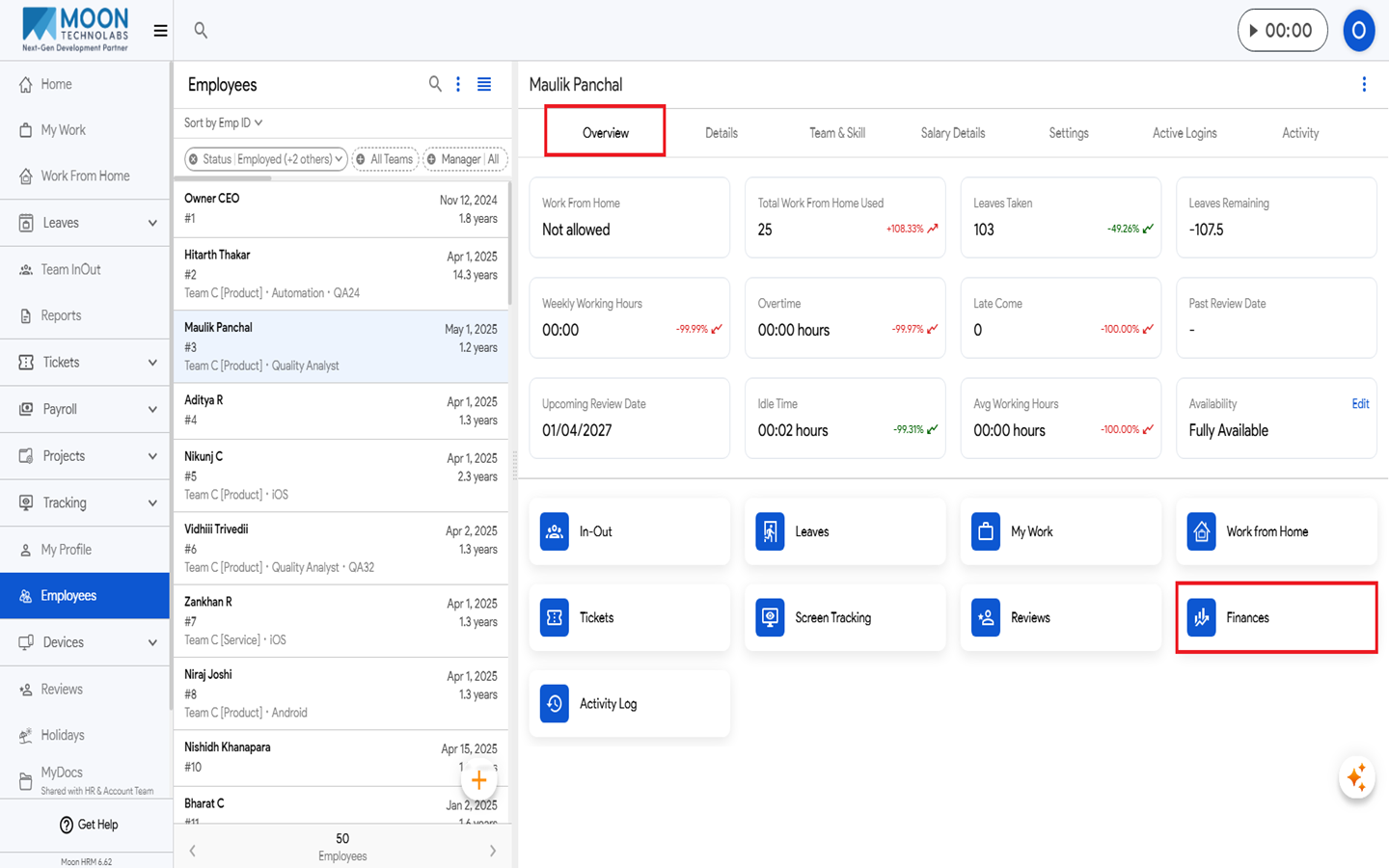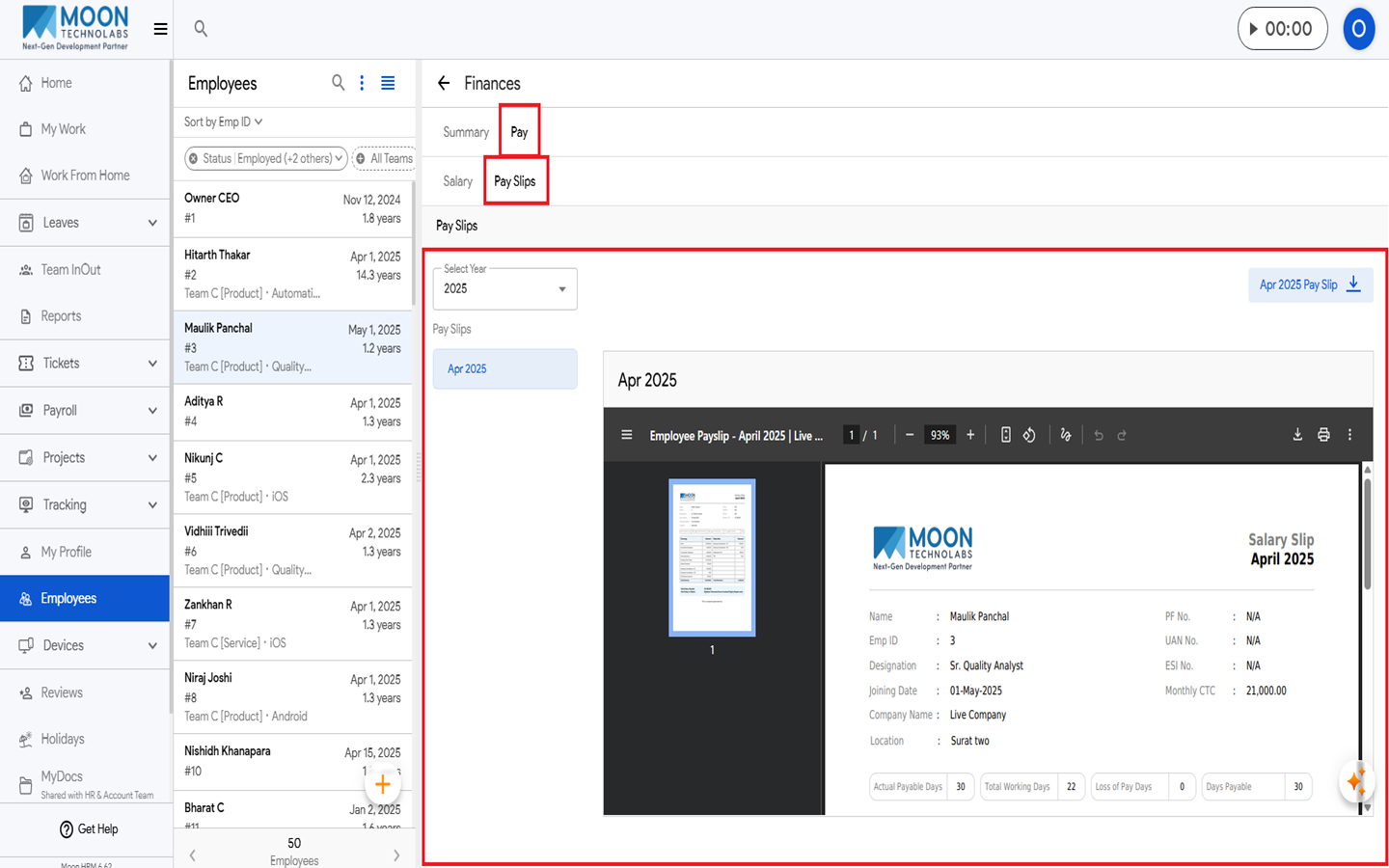

HR can easily check the employee’s payslip in Moon HRM by following the steps below.
- Open the Moon HRM application on your device or tap on this link.
- Navigate to Employees from the main menu and select the employee whose payslip you want to view.
- Under Overview, click Finances, then navigate to Pay ➜ Pay Slips. If payslip data is available for the selected employee, it will be displayed there.
Note:
Only HR has access to check the employee’s payslip. You can also upload a payslip.