
The company owner can easily change the time zone in Moon HRM by following the steps below.
- Open the Moon HRM application on your device or tap on this link.
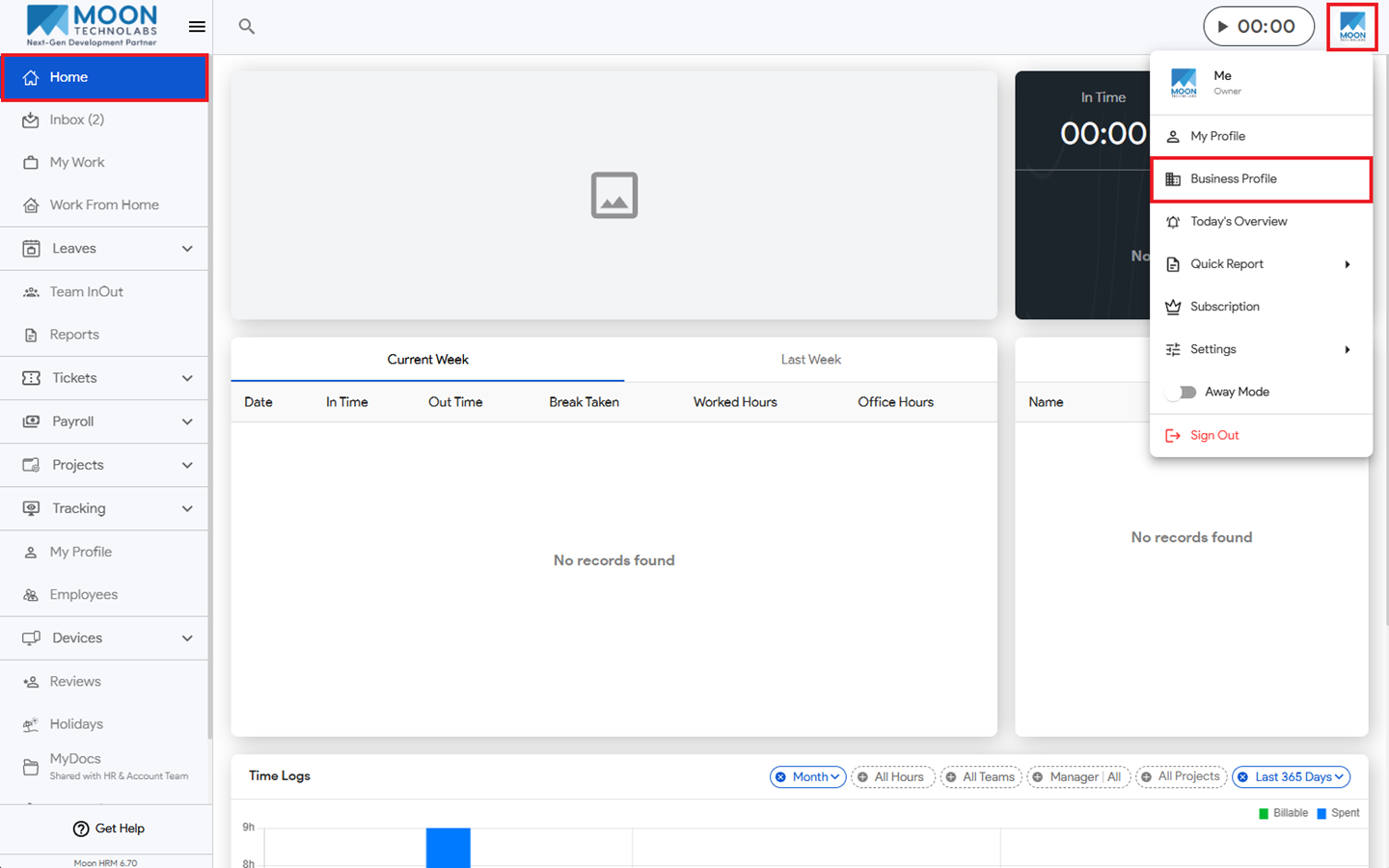
- From the main menu, navigate to Home and click on the Profile Icon on your right-hand side.
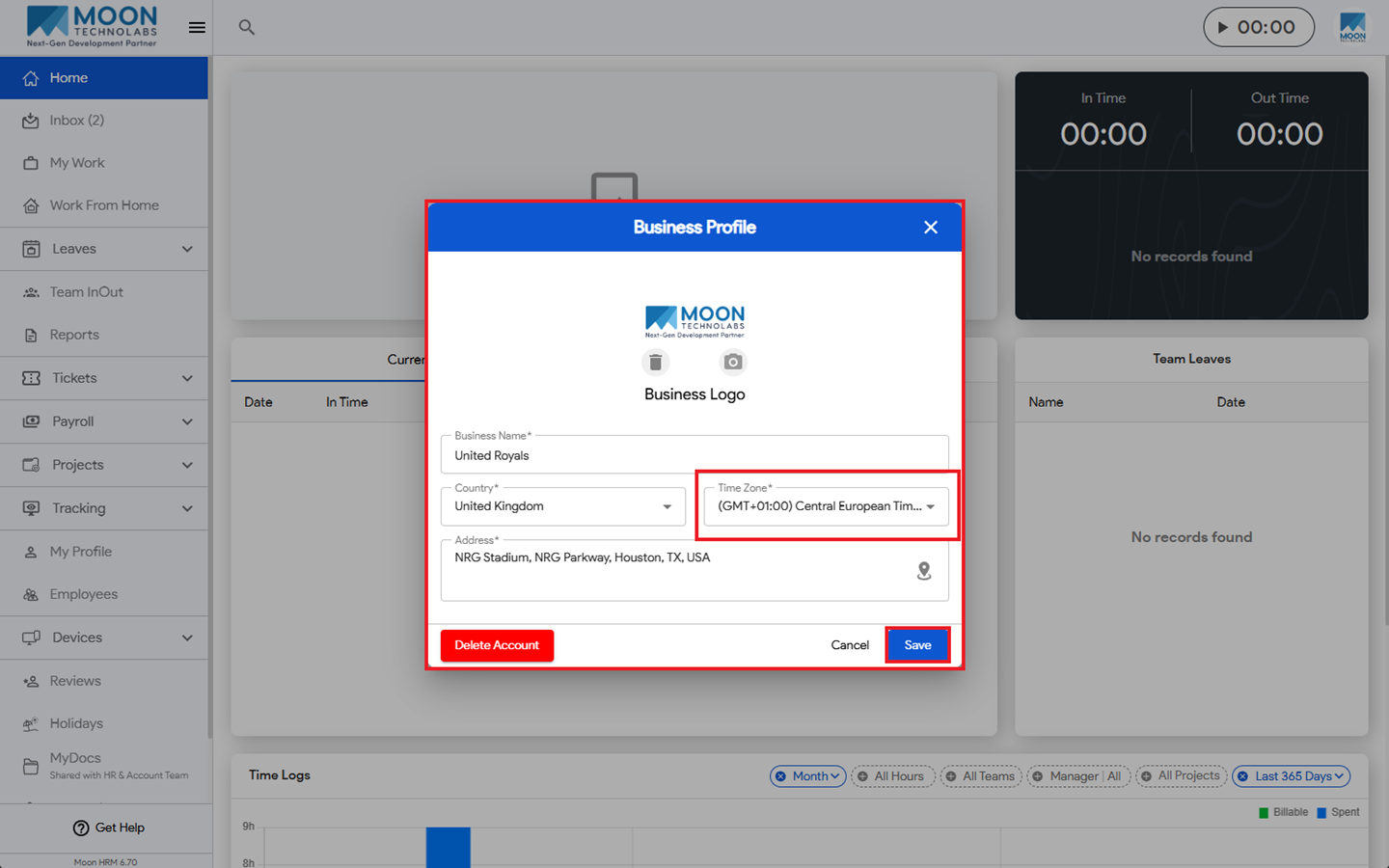
- Click on Business Profile, and then under Time Zone, you can select as per your need.
- Then click on Save to apply the changes.