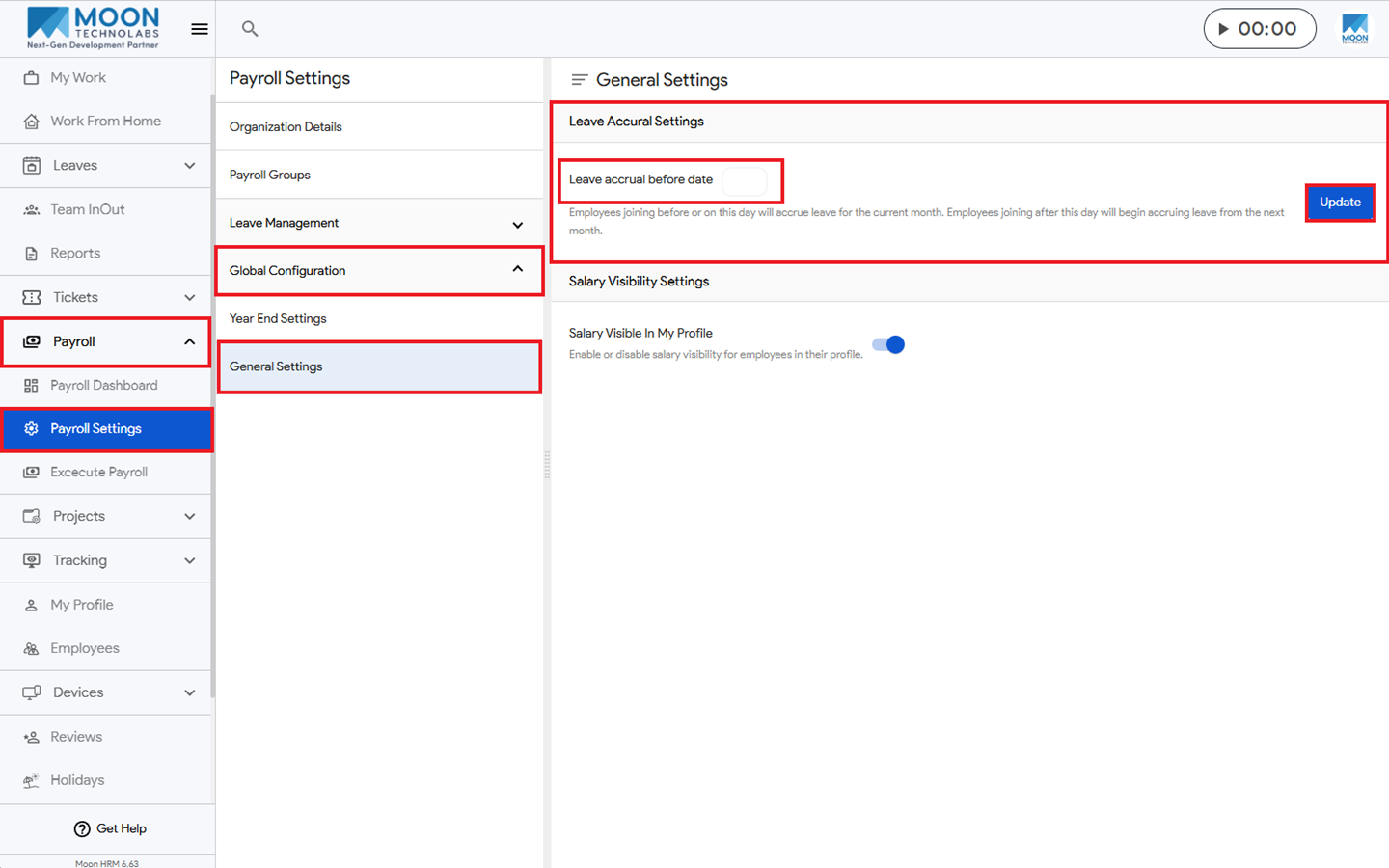
You, as HR manager, can easily set an employee’s leave accrual in Moon HRM by following the steps below.
- Open the Moon HRM application on your device or tap on this link.
- Navigate to Payroll ➜ Payroll Settings from the main menu.
- Under Global Configuration ➜ General Settings, under Leave Accrual Settings, you can set the Leave accrual before date.
- Then click Update to apply the changes.