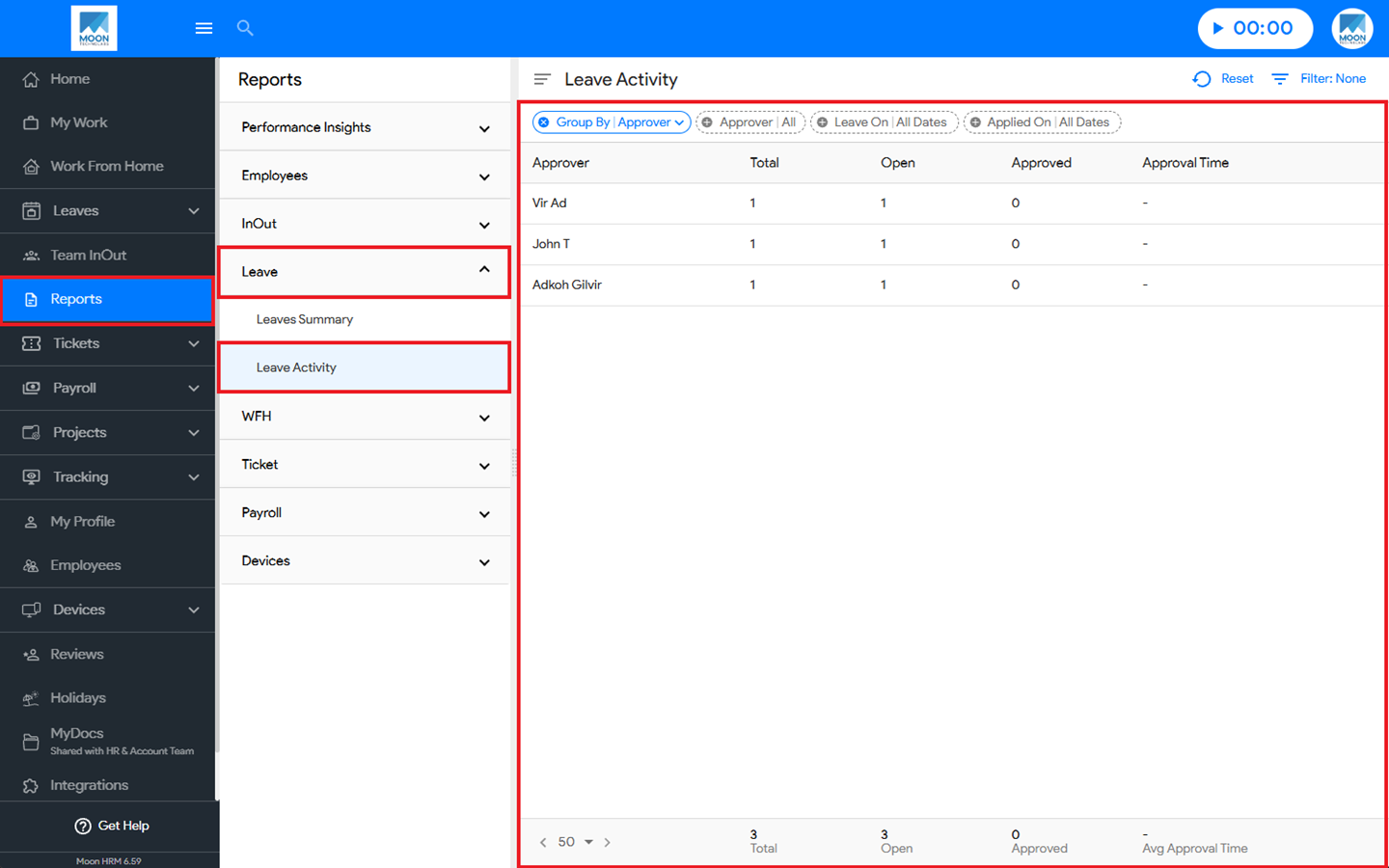
You can easily see the leave activity in Moon HRM by following the steps below.
- Open the Moon HRM application on your device or tap on this link.
- Navigate to Reports ➜ Leave from the main menu.
- Under Leave Activity, you’ll see all the details regarding the report.
Note:
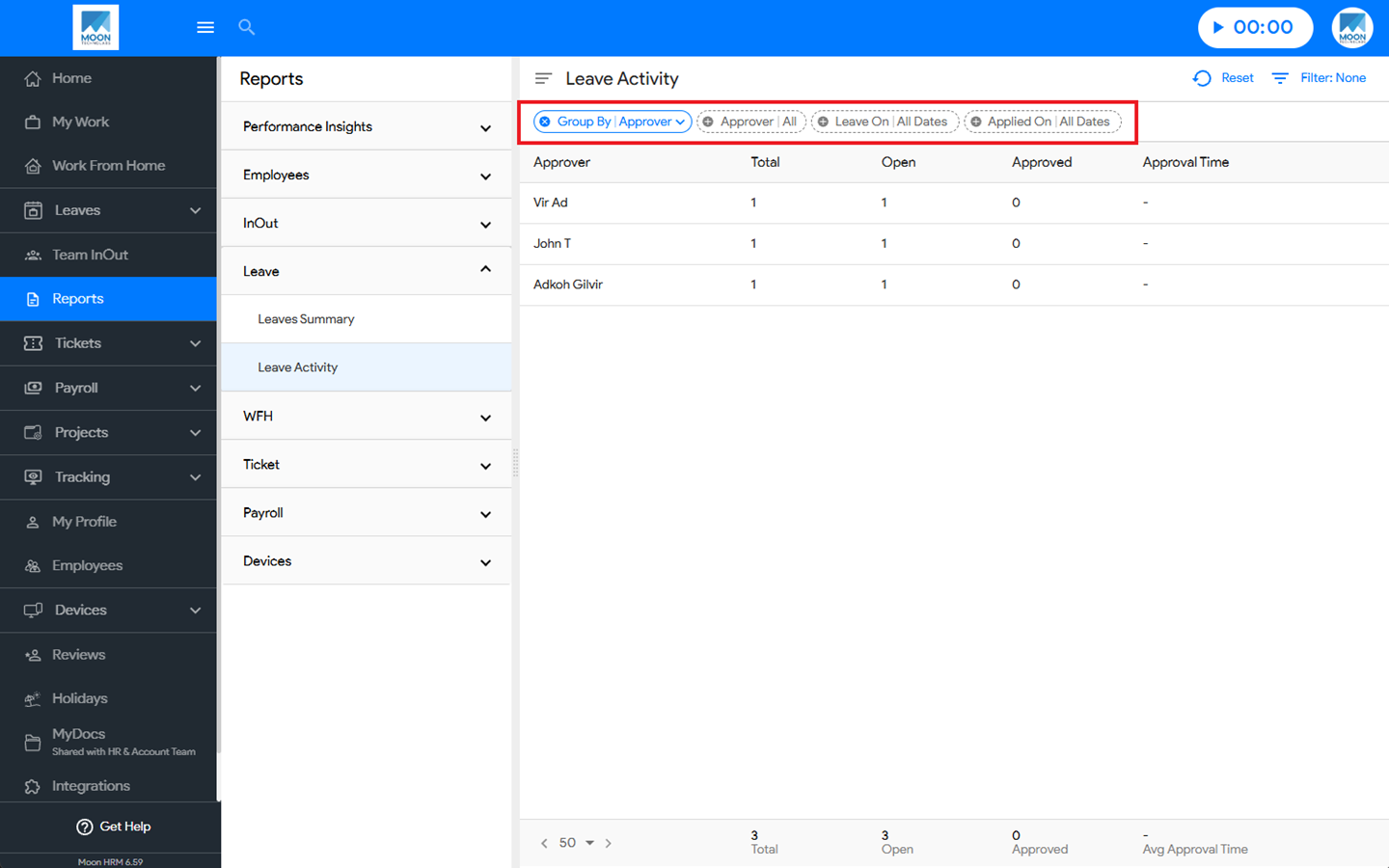
You can use the filter option to search for specific details in the leave activity.