You can easily create a leave plan in Moon HRM by following the steps below.
- Open the Moon HRM application on your device or tap on this link.
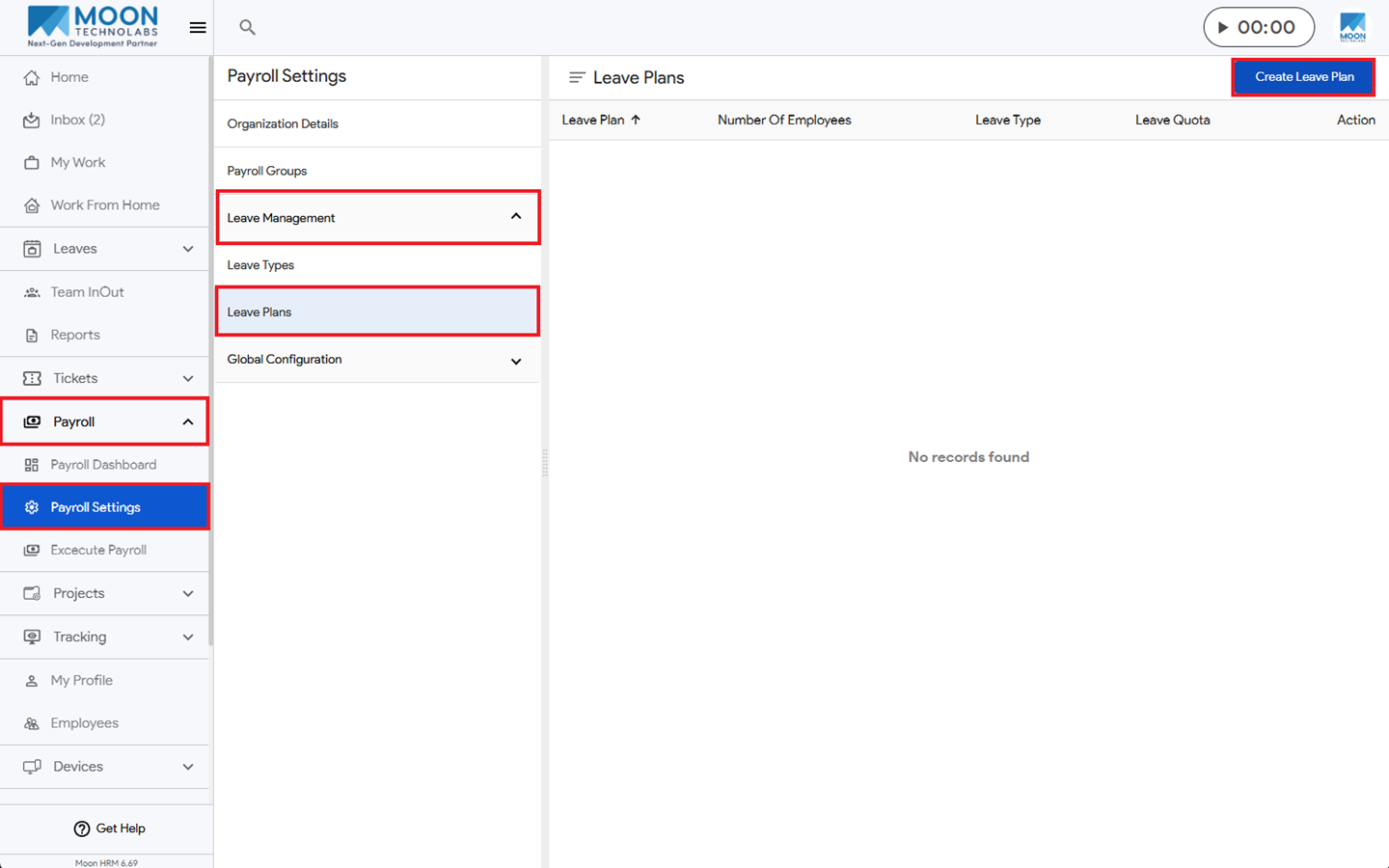
- Navigate to Payroll ➜ Payroll Settings from the main menu.
- Under Leave Management ➜ Leave Plans, click on Create Leave Plan.
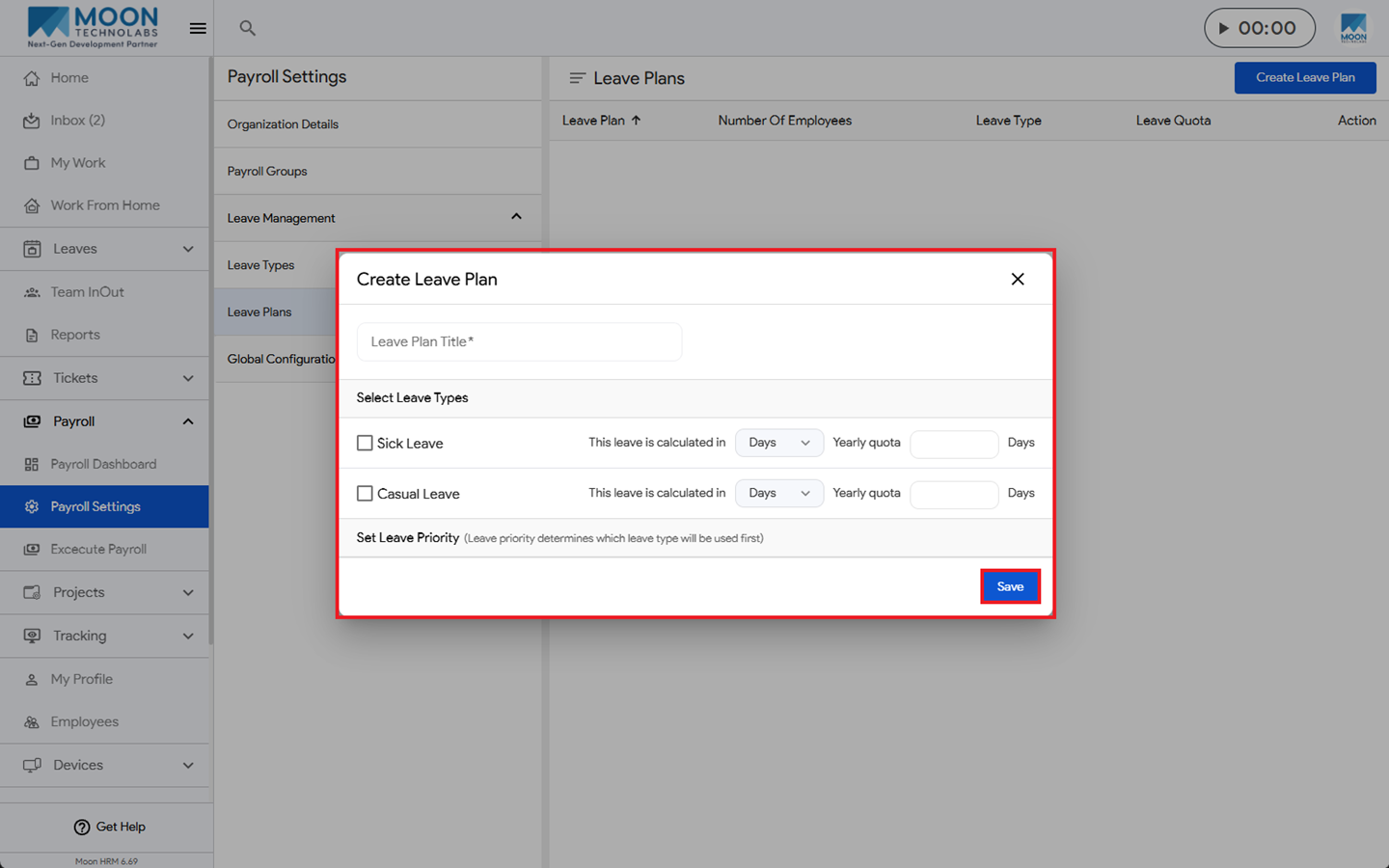
- Fill in all required details, then click Save to create a leave plan.
Note:
Only the Admin and the HR will be able to create the leave plan